Exploring with the demo academy
How to try RinkTracker with invented teams and players, and how to remove the demo when you are ready.
For club admins
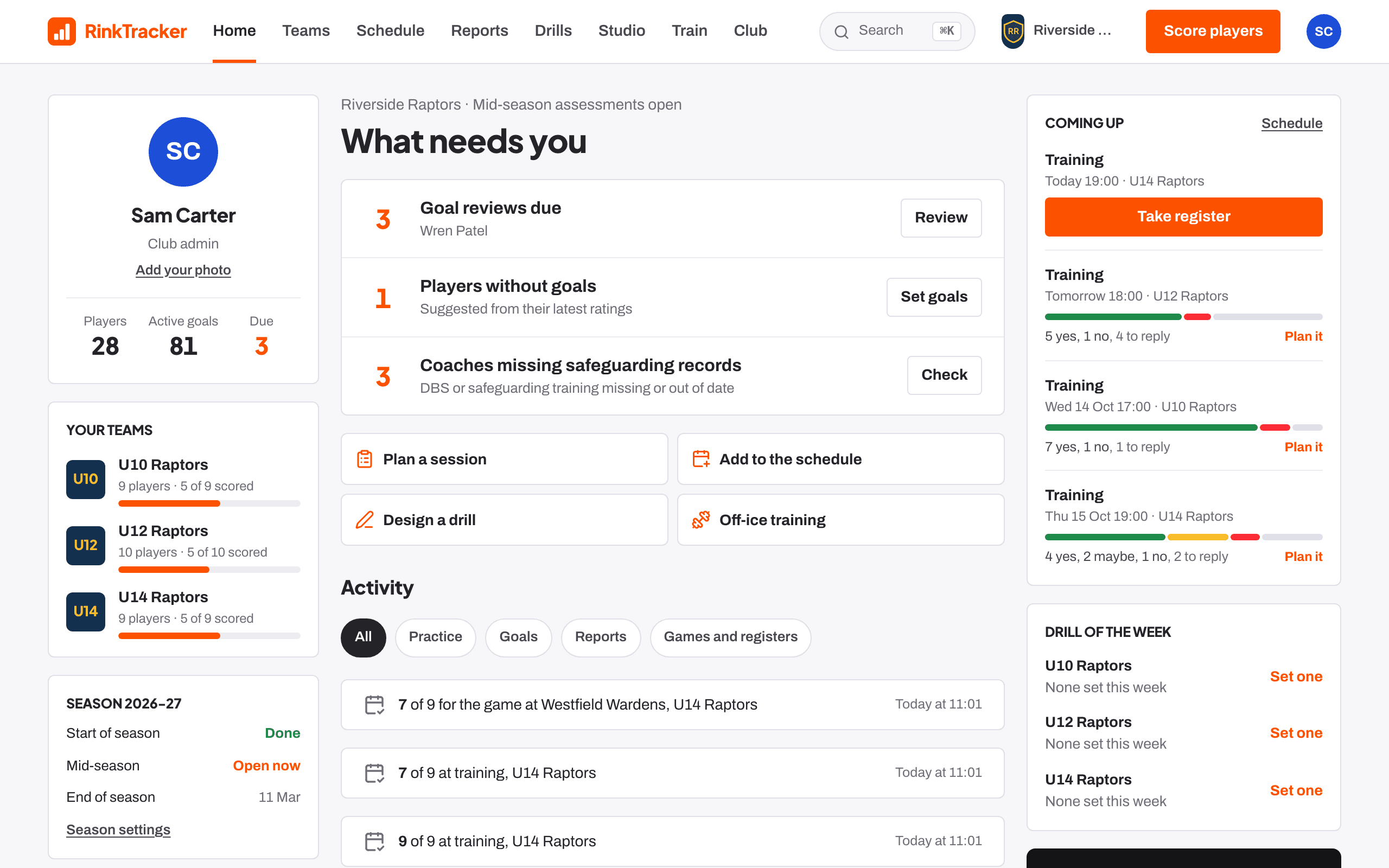
If you would like to see RinkTracker working before you add your own club, a club admin can create a demo academy from the welcome screen.
Create the demo
- On Welcome to RinkTracker, choose Explore the demo.
- Press Create the demo academy. It takes a few seconds.
You get three invented teams (U10, U12 and U14) with players, a season of skills checks, goals, practice and workouts, a schedule and published reports. Everything works, so you can score, set goals, plan sessions and read reports.
What is safe
- Nothing is sent to anyone: no invitations, reminders or emails go out for demo data.
- A banner on every page reminds you it is a demo: You're exploring demo data.
- Other staff see the banner too, with Your club admin can remove it.
Remove the demo
- In the banner, press Remove demo and set up your academy.
- Read Remove the demo? It deletes the demo teams, the invented players and everything made for them: scores, goals, practice, workouts, events and reports.
- Press Remove demo, or Keep exploring to go back.
After removing it, you carry on with setup. See Setting up your club.
Related
- Setting up your club: the checklist Help article
- Set up your club Step-by-step guide
- Finding your way round the app Help article
Still stuck? Email hello@rinktracker.com and we'll help.