Teams and rosters
How to add a team, add players by hand, fill in birth dates and invite each player's parents.
For club admins, coaches
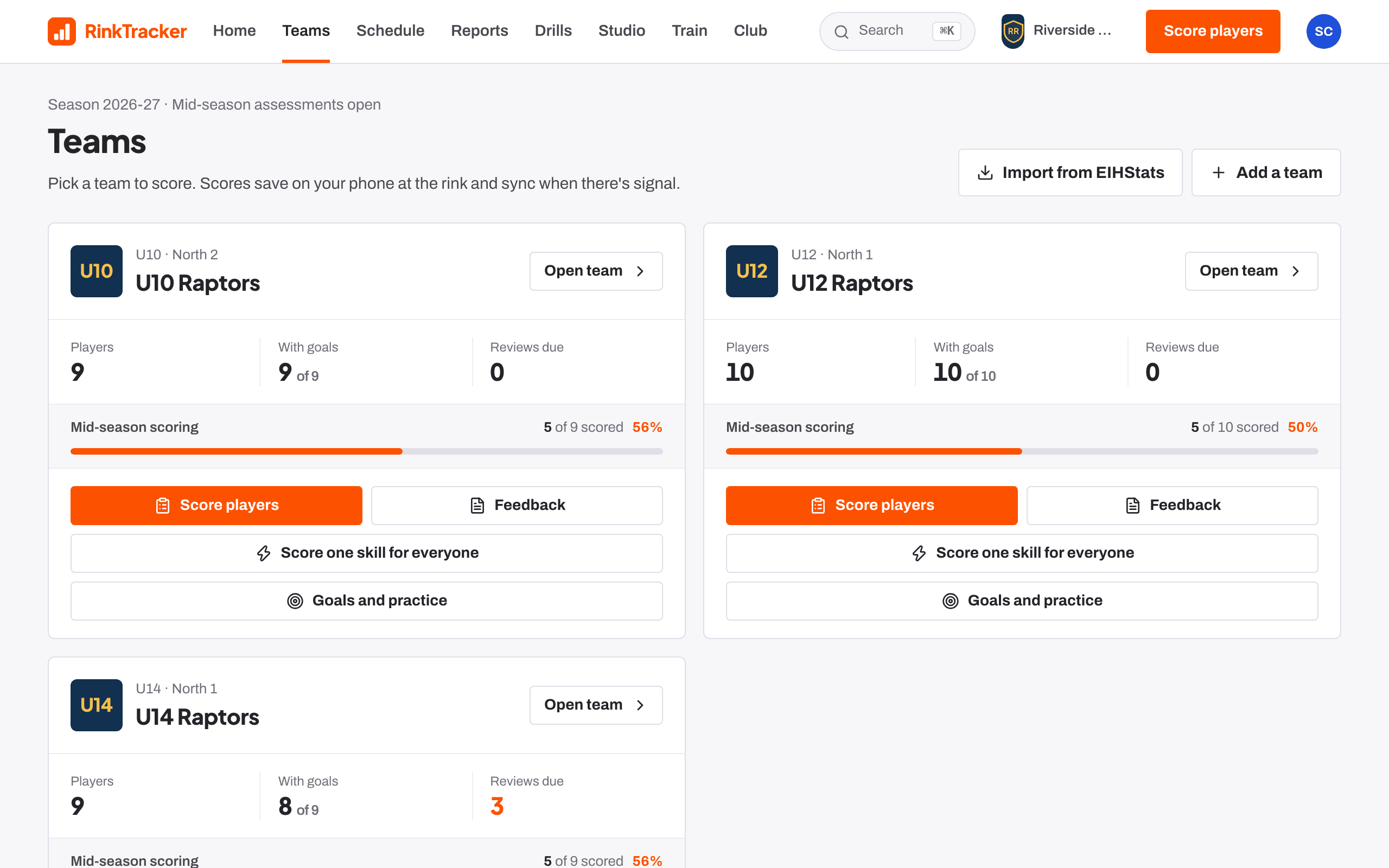
Teams lists every team you can see. Each card shows players, how many have goals, reviews due and scoring progress for the open skills check.
Add a team
A club admin or head coach can add teams. Import them from EIHStats with Import from EIHStats, or on the Season page use Add a team by hand: a team name, an age band and an optional division, then Add team.
Add players by hand
- Open the team. On the Roster tab, press Add a player.
- Fill in first name, last name, date of birth, shirt number and position (Forward, Defence or Netminder).
- Optionally add a parent's email. They receive an invitation.
- Press Add player.
The date of birth decides the player's age band, which sets the age guidance coaches score against and where the player goes next season. If any players have no birth date, the team header says how many, and each one has Add birth date on the roster. A player who has agreed to play up shows a playing up badge on the older team's roster.
Invite a player's parents
- On the roster, press Invite a parent next to the player (or Invite another parent).
- Enter the email and the relationship: Parent, Guardian or Carer.
- Press Send invite.
Parents are invited from the roster so every invitation is tied to the right child. When they sign in, they see only that child. Home shows Players with no parent linked so nobody is missed.
The other tabs
- Attendance, Medical and Game stats for the team. Medical is seen only by club staff.
- Sign-ups: rink codes and families waiting to be matched.
- Coaches: the team's staff, and Invite a coach to this team.
- Team settings: the EIHStats link, the team logo and Import roster from CSV.
A player on more than one team in their age group, say a White and a Blue team, is one player on both. Add them to the second team from their own page: see One player on several teams.
- Importing a roster from GameDay or Flexviews Help article
- Importing teams from EIHStats Help article
- Rink codes and family sign-ups Help article
- Putting staff on teams Help article
Still stuck? Email hello@rinktracker.com and we'll help.