Staff responsibilities: switching things on or off for one person
Let a coach add players or invite parents, or keep reports with the head coach, without changing anyone's role.
For club admins, coaches
Each role comes with its usual responsibilities. A club admin or head coach can switch some of them off for one person, or switch on a few extra ones for a coach. For example, a coach can add players to the roster while reports still go through the head coach.
Change someone's responsibilities
- Open the team, then the Coaches tab.
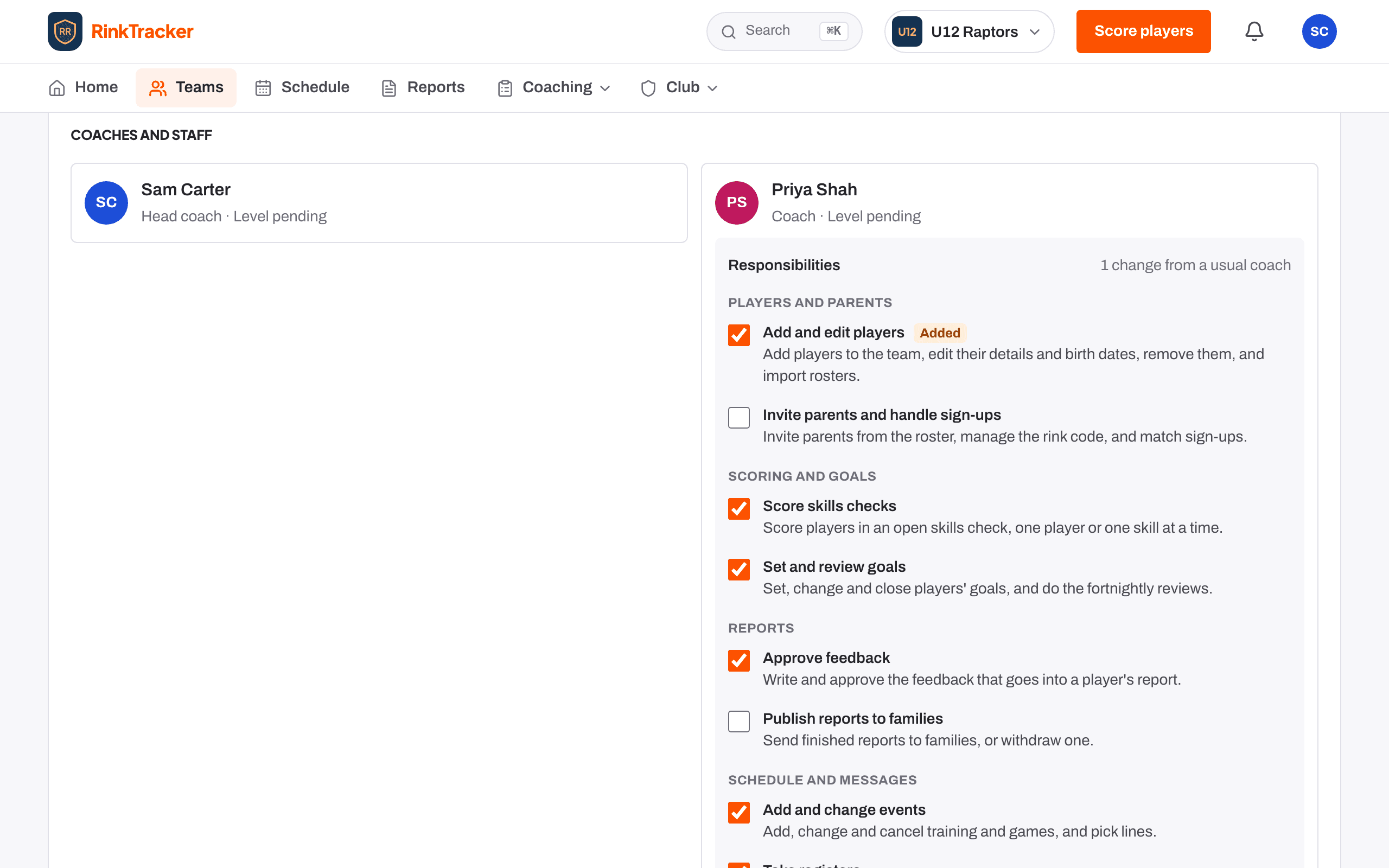
- On the person's card, open Responsibilities.
- Tick or untick each one. It saves straight away, and Added or Off shows where they differ from their role.
What can be switched
- Players and parents: add and edit players; invite parents and handle sign-ups.
- Scoring and goals: score skills checks; set and review goals.
- Reports: approve feedback; publish reports to families.
- Schedule and messages: add and change events; take registers; send announcements.
The rules
- One set per person, applied on every team they're on.
- Club admins and head coaches can change coaches, assistant coaches and team managers. Only a club admin can change a head coach.
- Nobody can change their own. Each person sees theirs, read only, under What you can do on their own card.
- Anything can be switched off. Only a coach can be given extras: players, parents, publishing reports and announcements. You can't give a responsibility that has been switched off for you.
- Every change is recorded in the club's edit history.
Related
- Putting staff on teams Help article
- Roles: who sees what Help article
- Inviting coaches and staff Help article
Still stuck? Email hello@rinktracker.com and we'll help.