Plan the ice time and run it from the bench
A library of animated drills, each read aloud by a coach's voice, a designer with a proper hockey toolbar and a spoken tutorial, drill sheets you can print or save as a PDF, and session plans with timers for the bench.
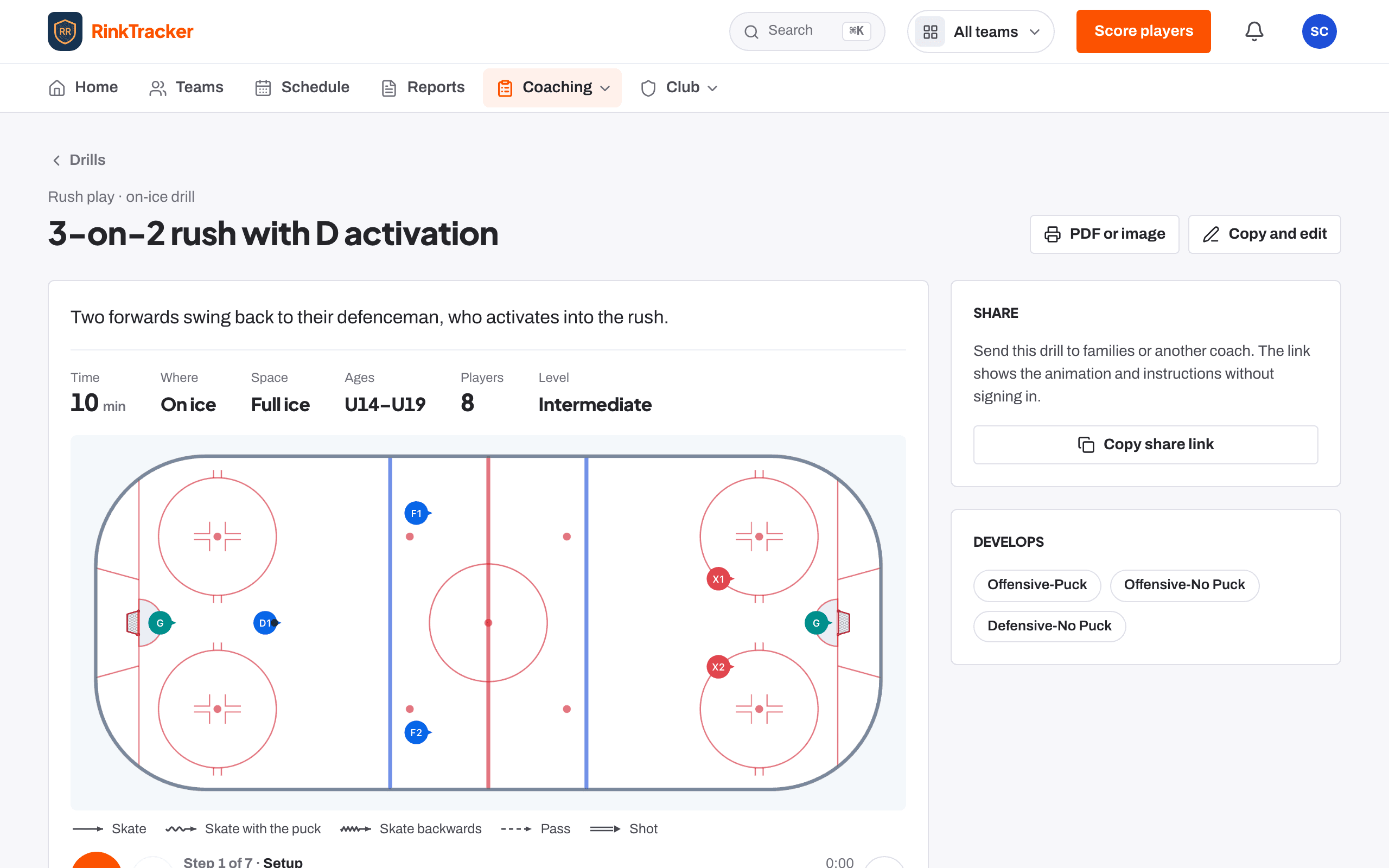
A drill library with animated rink diagrams
Drills cover every rubric skill and can be filtered by skill, age band and category. Every on-ice drill has an animated rink diagram. Each drill page shows the time, space, ages and players, coaching points, and how to make it easier or harder. Coaches can share a drill with a link that opens without signing in. On a phone the categories sit in one row you swipe, with drills two across.
Linked to skills
A skill's page in the rubric lists the drills that build it.
Written drills too
Add a written drill for anything you'd rather describe than draw.
Copy and change
Start from a library drill and make it your club's own.
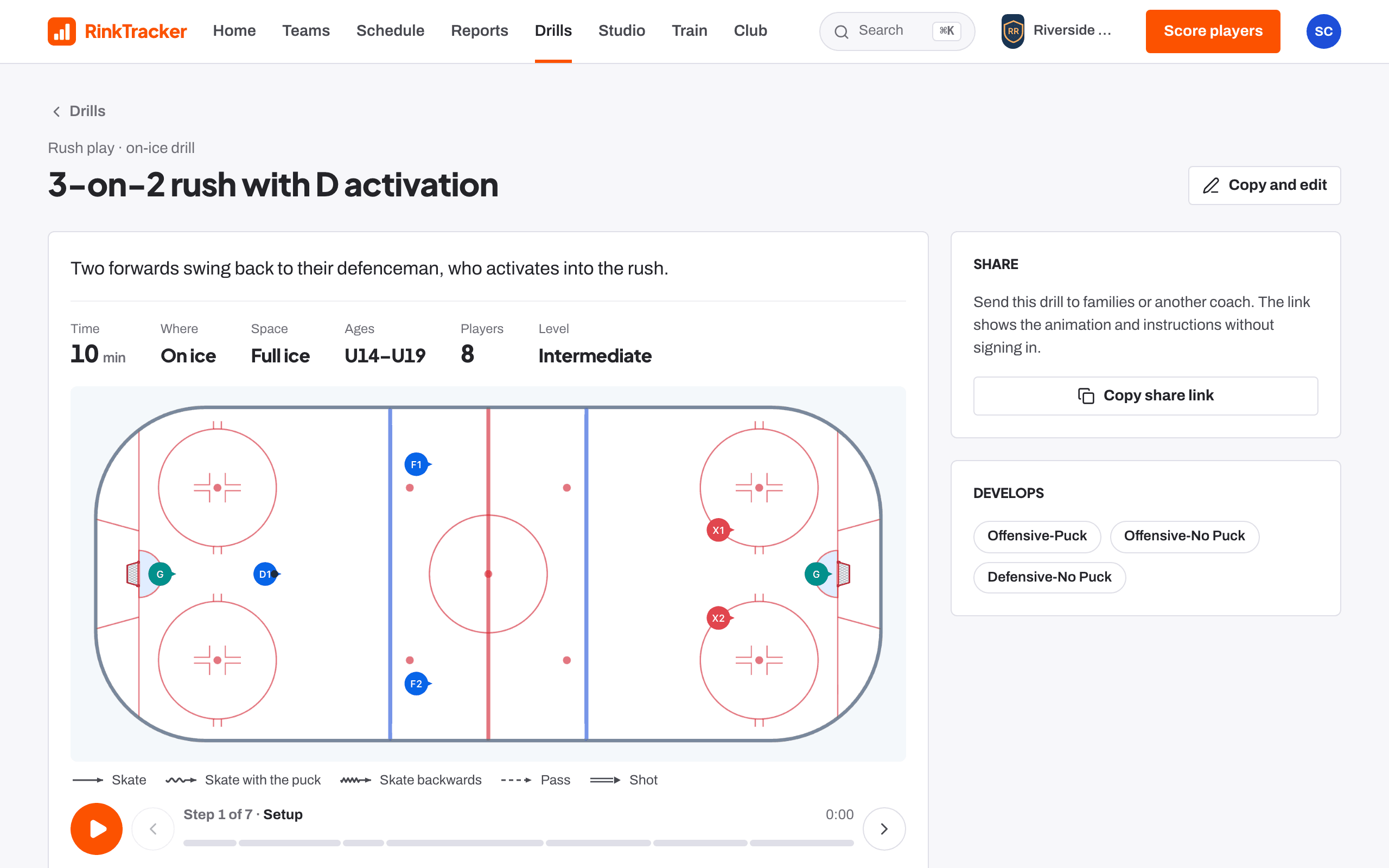
Design your own, with a proper hockey toolbar
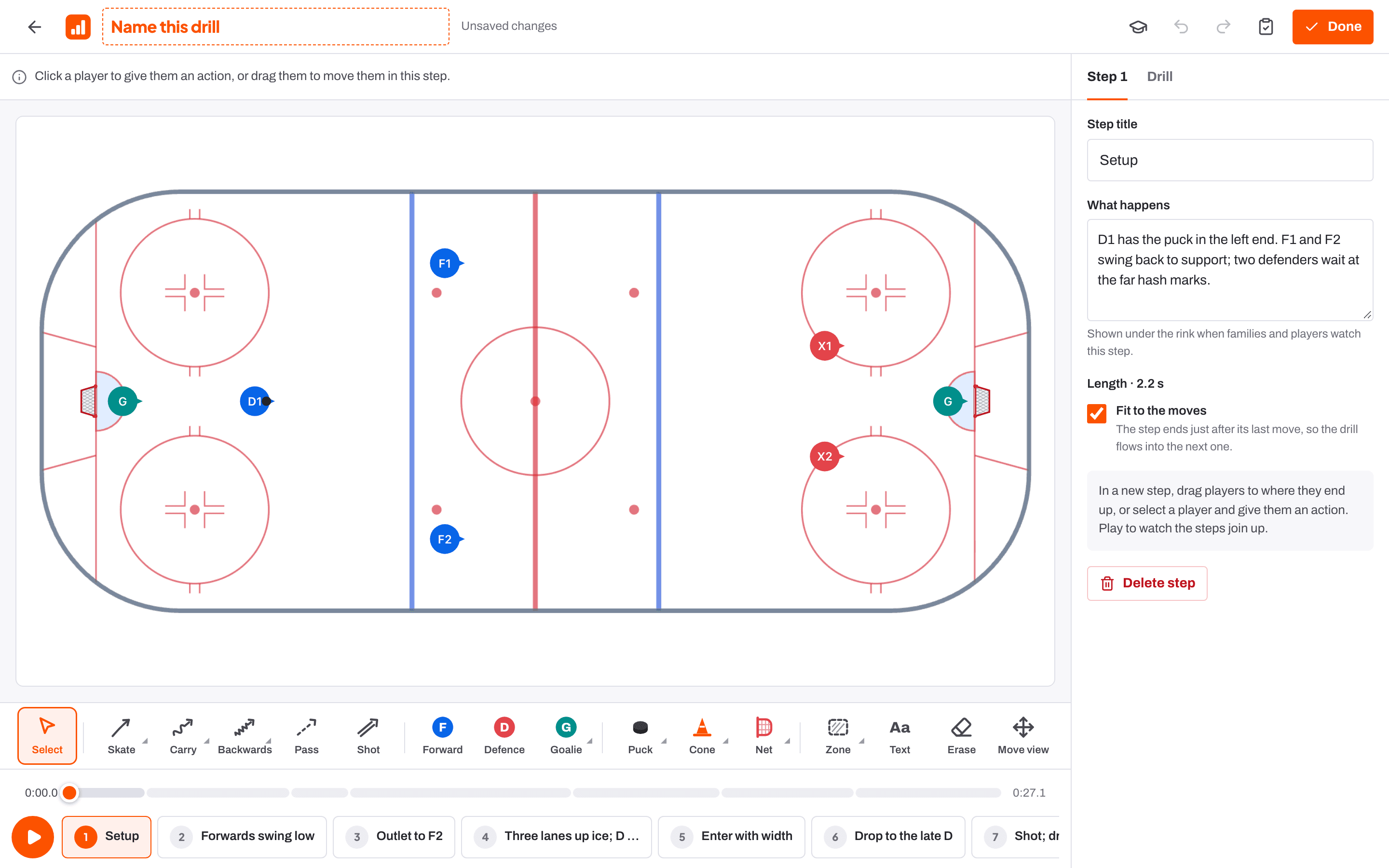
The designer starts from a full rink, half ice, one zone or a station layout for three to six groups, or from a library drill. Under the rink sits a hockey toolbar: Skate (with stops and crossovers), Carry, Backwards, Pass and Shot; Forward, Defence, Goalie and coaches; pucks, cones, tyres, ladders, nets and rebounders; zones, arrows, lines and freehand; text, erase and move view. Click a player to give them their next action, and your club crest sits at centre ice.
Lines that animate
Draw a route the way you would on a whiteboard and it plays back smoothly, skating joining up between moves.
Copy, paste, duplicate
Select or erase anything, and reshape lines once they're drawn.
Pass on the move
Drag a pass's release point along the passer's route; both players keep skating to the end of their lines.
Check the play
Flags passes that won't arrive and actions that overlap.
Pass on the move
Draw the routes, draw the pass, then drag its orange release point along the passer's route. The puck leaves mid-stride, right where you put it, and both players keep skating to the end of their lines.
See the spacing
Pick two or more players and the rink shows the shape they make, the distance between each pair in feet or metres, and the angle at every corner. Press play and the numbers follow them, so you can show exactly the gaps you want in a breakout.
Learn it in two minutes, with a voice to guide you
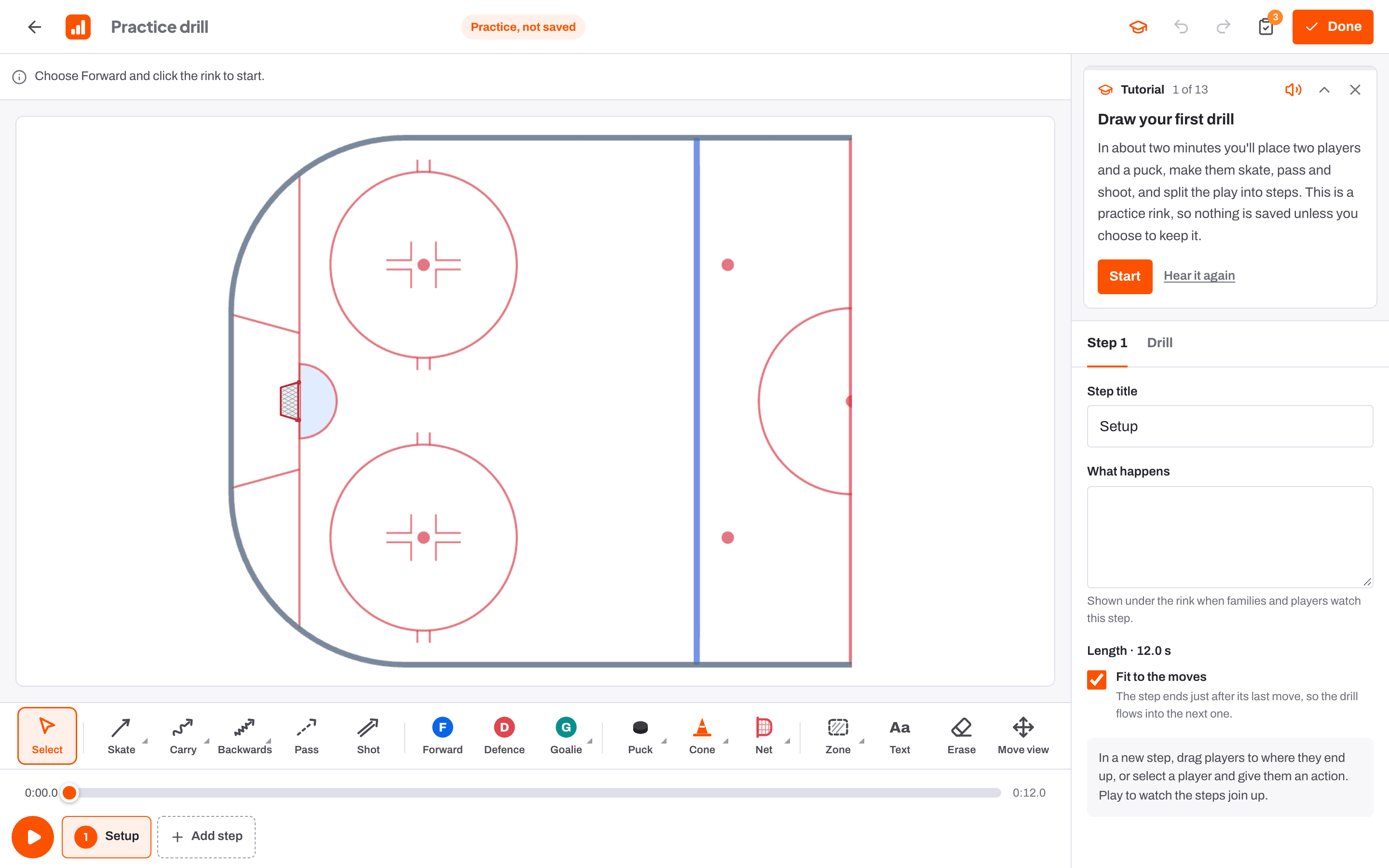
New to the designer? Start the tutorial walks you through your first drill on a practice rink, spoken aloud step by step: place players and a puck, carry, pass and shoot, add a step, write the notes and play it. The Advanced tutorial covers crossovers and stops, kit, zones and text, reshaping lines, timing and Check the play. Nothing from a tutorial is saved unless you keep it.
Steps on a timeline you can scrub
A drill is built up in steps, each with a Step title and What happens, which families and players see as it plays. The Drill timeline runs across the whole drill so you can scrub to any moment. Fit to the moves ends each step just after its last move so the drill flows; turn it off to hold a pause of up to 20 seconds.
Each step its own lines
Only the current step's routes show, so a busy drill stays readable.
Saves as you go
Changes save themselves a moment after you make them.
Linked skills
Tag the skills a drill develops so it can be suggested for players' goals.

Print it, or save it as a PDF
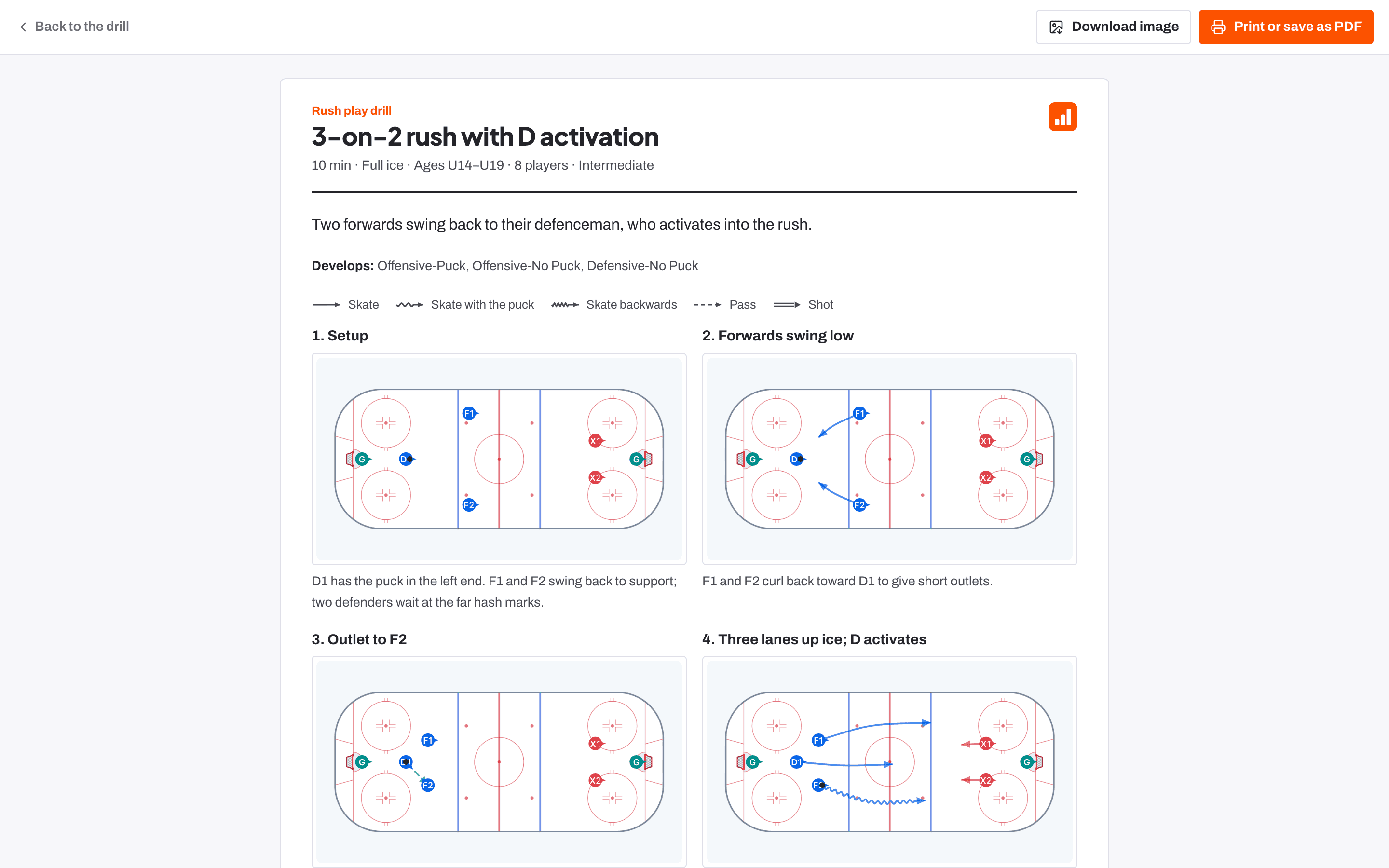
PDF or image turns any drill into a clean sheet: the facts, the skills it develops, a rink for every step with its notes, set-up, how to run it, what to look for, and easier and harder versions. Print or save as PDF for the clipboard, or Download image to share. Attach your own PDFs, pictures and video to a drill too.
For families too
Anyone at the club who can see a drill can print its sheet.
Up to six pictures and three PDFs
Each up to 8 MB, seen only by people signed in to your club.
Session plans you run from the bench
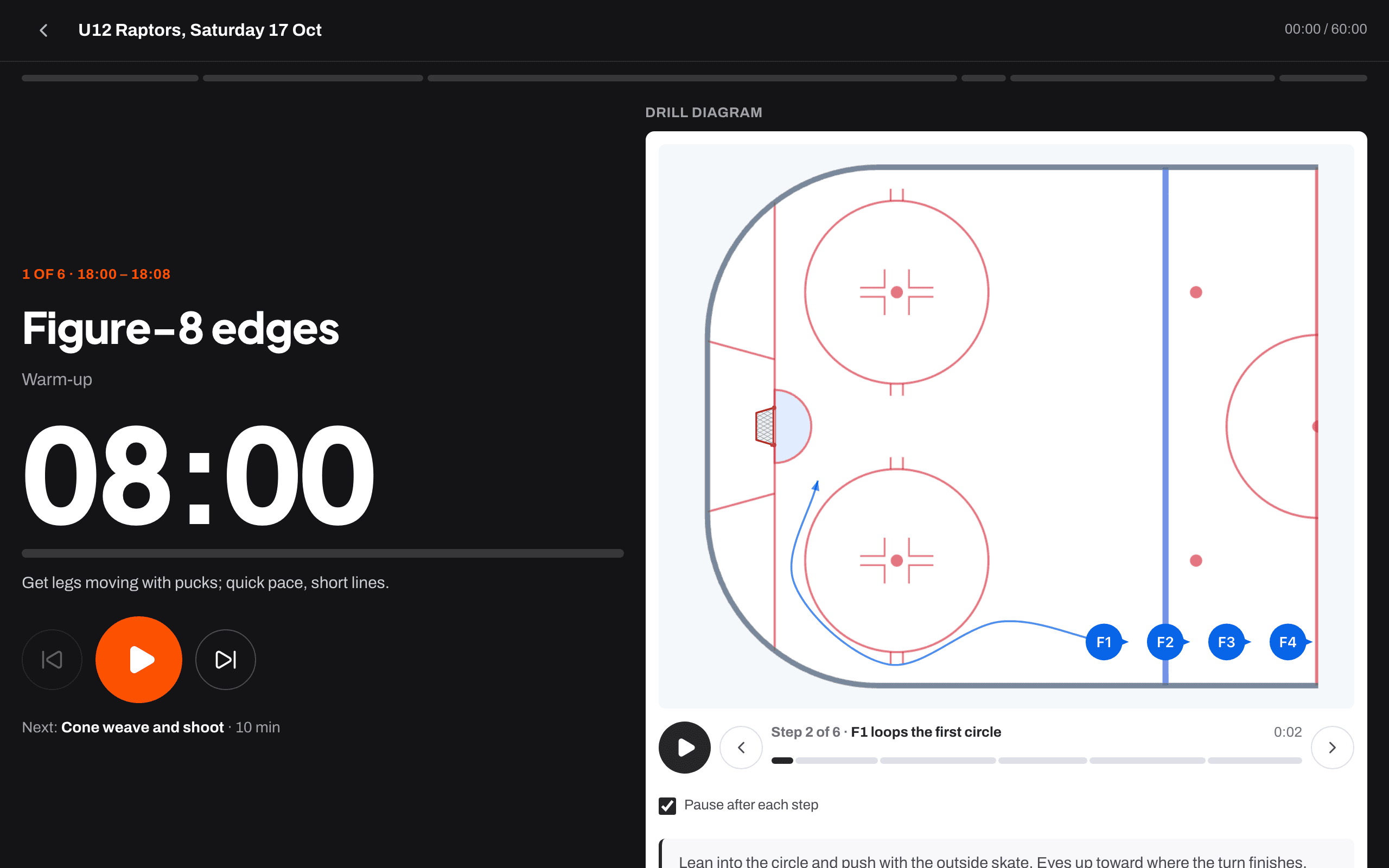
Plan a session for a training on the schedule, from a blank page or a template such as Skill development, Station practice or Special teams. Add timed drills, stations and breaks, then Run on the bench: a big countdown for each block with the drill animating beside it. Print the plan with diagrams and notes if you prefer paper.
Stations
The runner shows the rotation and when groups move.
Screen stays awake
The bench runner keeps the screen on while it runs.
A season plan and a drill of the week
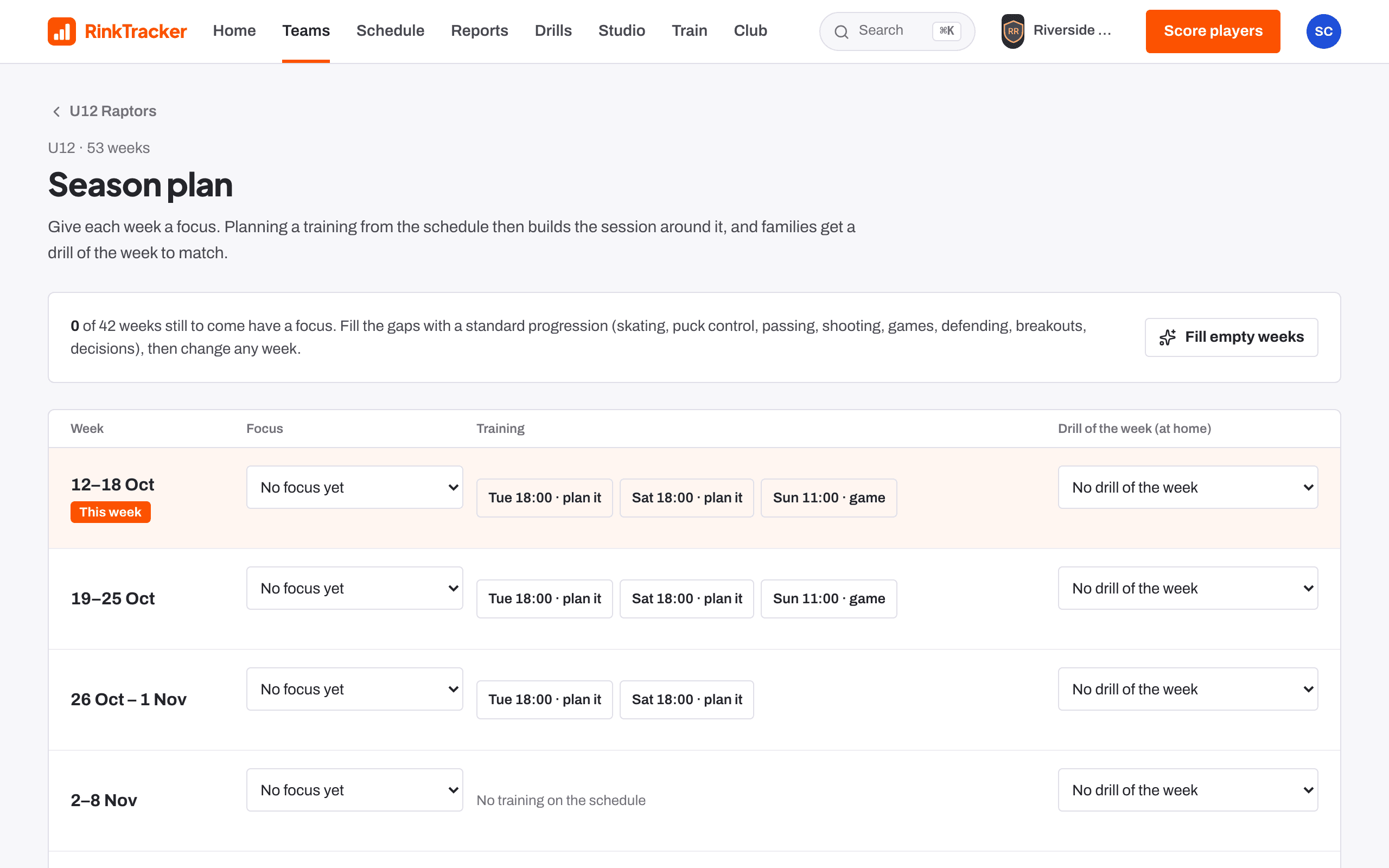
Give each week a focus on the season plan, and planning a training from the schedule builds the session around it. Each week can also have an at-home drill of the week for families, who tick it off when it's done.
Fill empty weeks
A standard progression from skating and puck control to breakouts and decisions.
At home
Families see the drill of the week and mark it done.
Hear every drill, in a coach's voice
Press Listen on any drill or exercise and a British coach's voice reads the summary, the steps and the coaching points. On an animated drill, Narrate each step talks players through the diagram as it plays. Your club's own drills and exercises are narrated a moment after you save them.
Nothing plays by itself
Narration only starts when someone taps.
In the workout too
Hear how reads an exercise aloud in the middle of a workout.
Your own video, pictures and PDFs on a drill
Add video, pictures and PDFs to any written or designed drill: a YouTube clip, your own video of up to ten minutes, up to six pictures with captions and up to three PDFs. Uploads are only seen by people signed in to your club; a shared link shows the diagram and the YouTube clip only.
Privacy-enhanced YouTube
Clips play through YouTube's no-cookie player.
Edit or delete
Everything you write can be changed later, and earlier versions are kept.