Your consent choices
What the club records without consent, the six choices you control, and what happens when you change one.
For families
Open your child's page and press Review on the Privacy and consent card. The page has two parts: what the club records, and your choices.
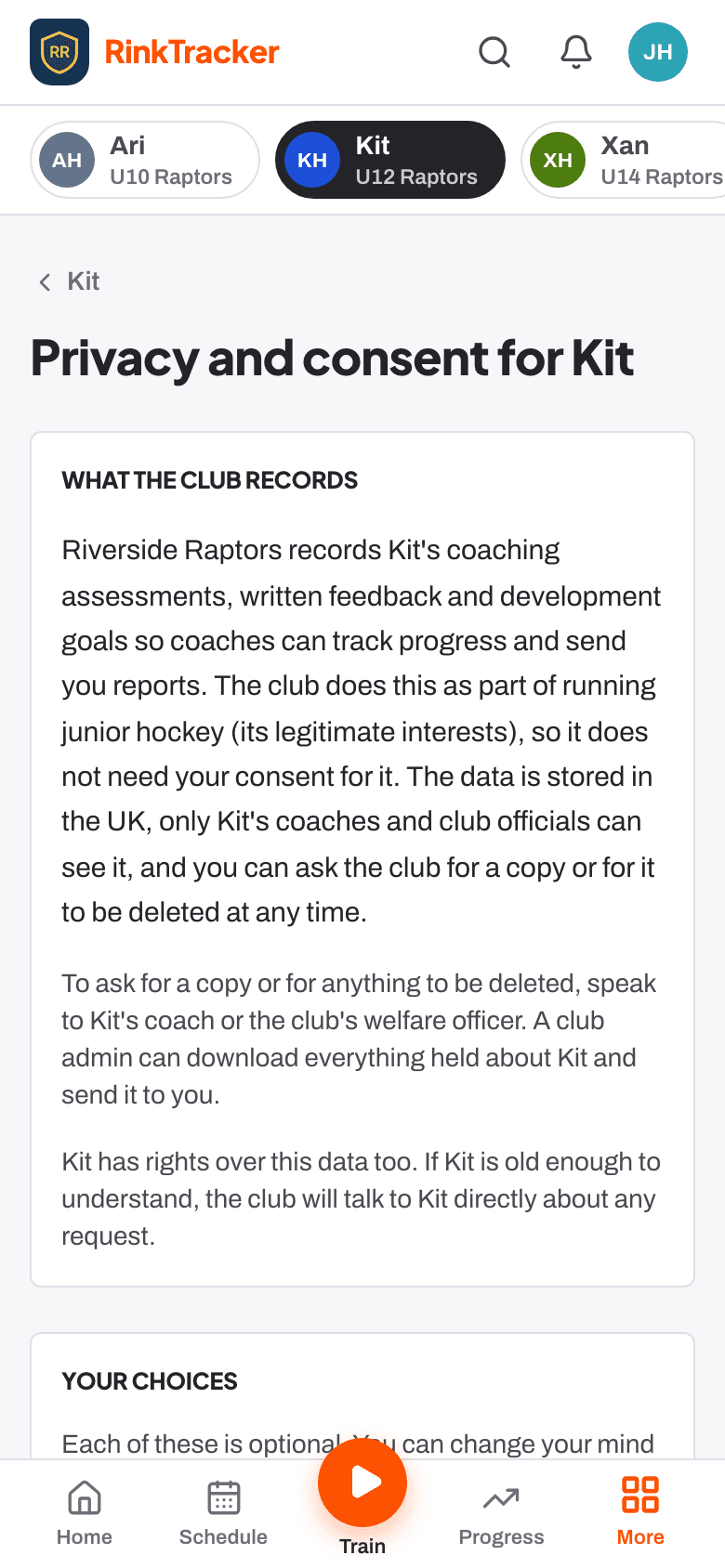
What the club records
The club records your child's coaching assessments, written feedback and development goals so coaches can track progress and send you reports. This is part of running junior hockey (the club's legitimate interests), so it does not need your consent. The data is stored in the UK, and only your child's coaches and club officials can see it.
To ask for a copy of everything, or for it to be deleted, speak to your child's coach or the club's welfare officer. A club admin can download everything held about your child and send it to you.
Your choices
- Photos: team and match photos taken by the club. No name is shown with a photo.
- Video for coaching: short clips coaches use to give feedback. On unless you turn it off. Never public, never downloadable by other families.
- Club promotion: photos or clips on the club website or social media. No surname shown.
- Livestreams: wide-angle livestreams of games, as allowed by IHUK's filming policy.
- Own login for the player: from age 13. See Your child's own login.
- Share with the GB pathway: a summary of scores and coach comments sent to Ice Hockey UK and the UK Ice Hockey Foundation for Showcase and national programme selection.
Changing a choice
- To give consent, tick [child] has agreed too if your child agrees, then press Give consent.
- To take it back, press Withdraw (or Turn off for video) and confirm.
Every choice is optional and takes effect straight away. You can change your mind at any time. Each choice is recorded with the date it was given.
- Your child's own login from age 13 Help article
- Video and consent Help article
- Privacy, the data agreement and who sees what Help article
- Roles: who sees what Help article
Still stuck? Email hello@rinktracker.com and we'll help.