Logging practice at home
How to record practice towards your child's goals, and why ten minutes counts.
For families, players
Practice at home is what moves a goal on. Logging it lets the coaches see what your child is doing between sessions, and it shows you both the progress building up over the weeks.
Log a practice
- Press the orange Train button, then Log practice under Practised without the app?. It opens Log practice for your child, one question at a time. (If your club doesn't use off-ice training, the orange button is Log and opens it straight away.)
- Under What did [child] work on?, choose the goal. A child with one goal skips this.
- Under Which drill?, choose the drill, or Something else and say what it was.
- Choose the minutes (it starts at 15) and when.
- Under Who's logging it?, choose your child if they are recording it themselves.
- Press Save. Each part has Change at the top if you need to go back.
What counts
- Practice you log against a goal.
- Off-ice workouts on the Train page. A workout with exercises for a goal's skill counts as practice on that goal. See Workouts at home.
- The team's drill of the week, when you press Mark [child] done on it.
The weekly target
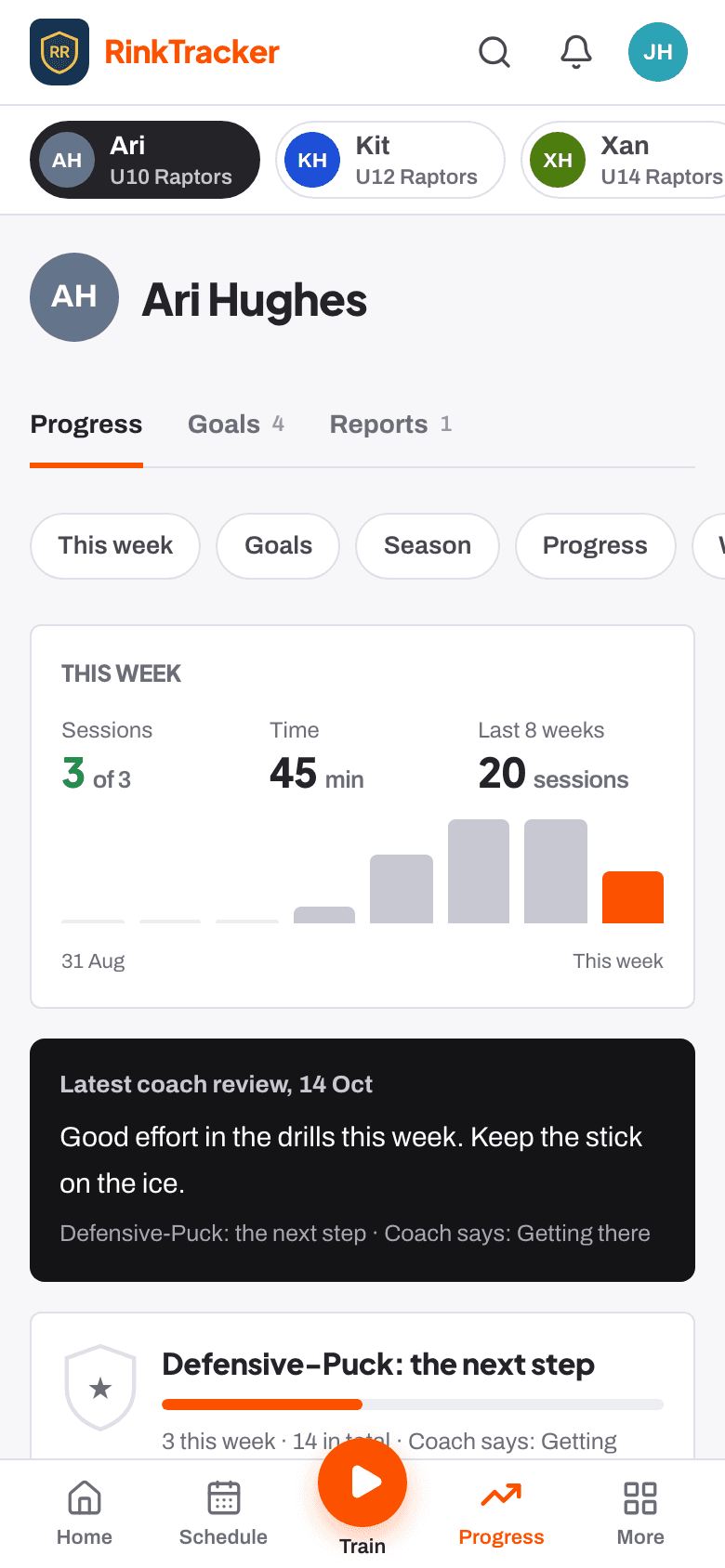
Your club sets how many short practice sessions a week it asks of players. Your child's Progress tab shows This week (sessions against that target, and time) and bars for each week of the season. There are no streaks, so there is nothing to lose by missing a week.
Coaches can give a practice entry a high five, a small way of saying they noticed.
Related
- Your child's goals Help article
- Off-ice workouts at home Help article
- Log practice and workouts at home Step-by-step guide
Still stuck? Email hello@rinktracker.com and we'll help.