Medical details and emergency contacts
How to add your child's medical details and emergency contacts, and exactly who can see them.
For families
Coaches need to reach someone quickly if your child is hurt or unwell, and to know about anything that affects them on the ice. Keep these details up to date, especially before tournaments and trips.
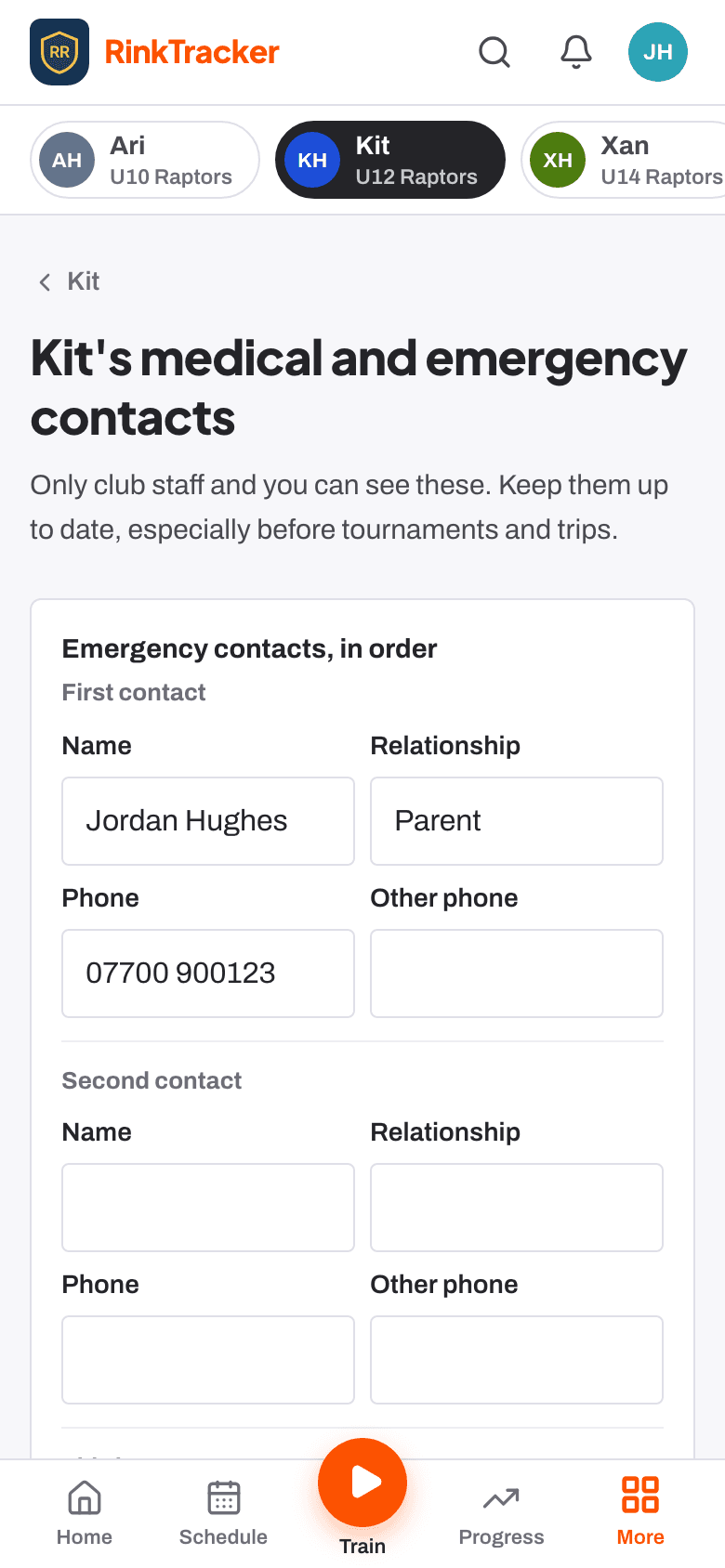
Add or update the details
- Open your child's page and find Medical and emergency contacts.
- Press Add (or Update if there are details already).
- Fill in what applies: Medical conditions, Allergies, Medications (name, dose, when to take it, and whether it is in the kit bag), Dietary needs, GP surgery and phone, and Anything else the coaches should know.
- Add Emergency contacts, in order: name, relationship, phone and another phone. The first one is the person coaches call first.
- Add your Home address.
- If you are adding medical details for the first time, tick the box that lets the club keep them, then press Save.
The first time you sign in, RinkTracker asks for each child's details before anything else, in four short steps: Emergency contacts, Category and medical, GP and home address, then Check and agree, where you also say whether staff may get your child emergency treatment if you can't be reached. It takes about three minutes, and a second parent isn't asked again. Reporting a safeguarding concern is never held up by it.
In the second step you also give the sex recorded at your child's birth: Female (girl) or Male (boy). Ice Hockey UK's Sex & Gender Participation Policy uses it to decide which teams a child can play for: girls' teams are for players recorded female at birth, and mixed teams are open to everyone. Only club staff and you can see it. If your child is already on a girls' team, only the club can change it, so speak to a coach.
Who can see them
- You, and anyone else linked to your child as a parent or guardian.
- Club staff who work with your child's team. Coaches and team managers see only their own teams. The club admin, head coach and safeguarding lead can see every team.
- Coaches can choose to print medical notes on a staff copy of the game-day sheet.
If your child has special educational needs or a disability, you can also tell the coaches what helps them at training. See SEND support.
- SEND support: telling the coaches what helps Help article
- Your consent choices Help article
- Your family home page: This week Help article
- Privacy, the data agreement and who sees what Help article
Still stuck? Email hello@rinktracker.com and we'll help.