Frame-by-frame and Studio shortcuts
Step through footage a frame at a time with the jog wheel and step buttons, and the keyboard shortcuts for the Studio.
For coaches
Under the footage are the transport controls: Play, back and forward five seconds, the time, the playback speed and the sound. Below them is the frame row.
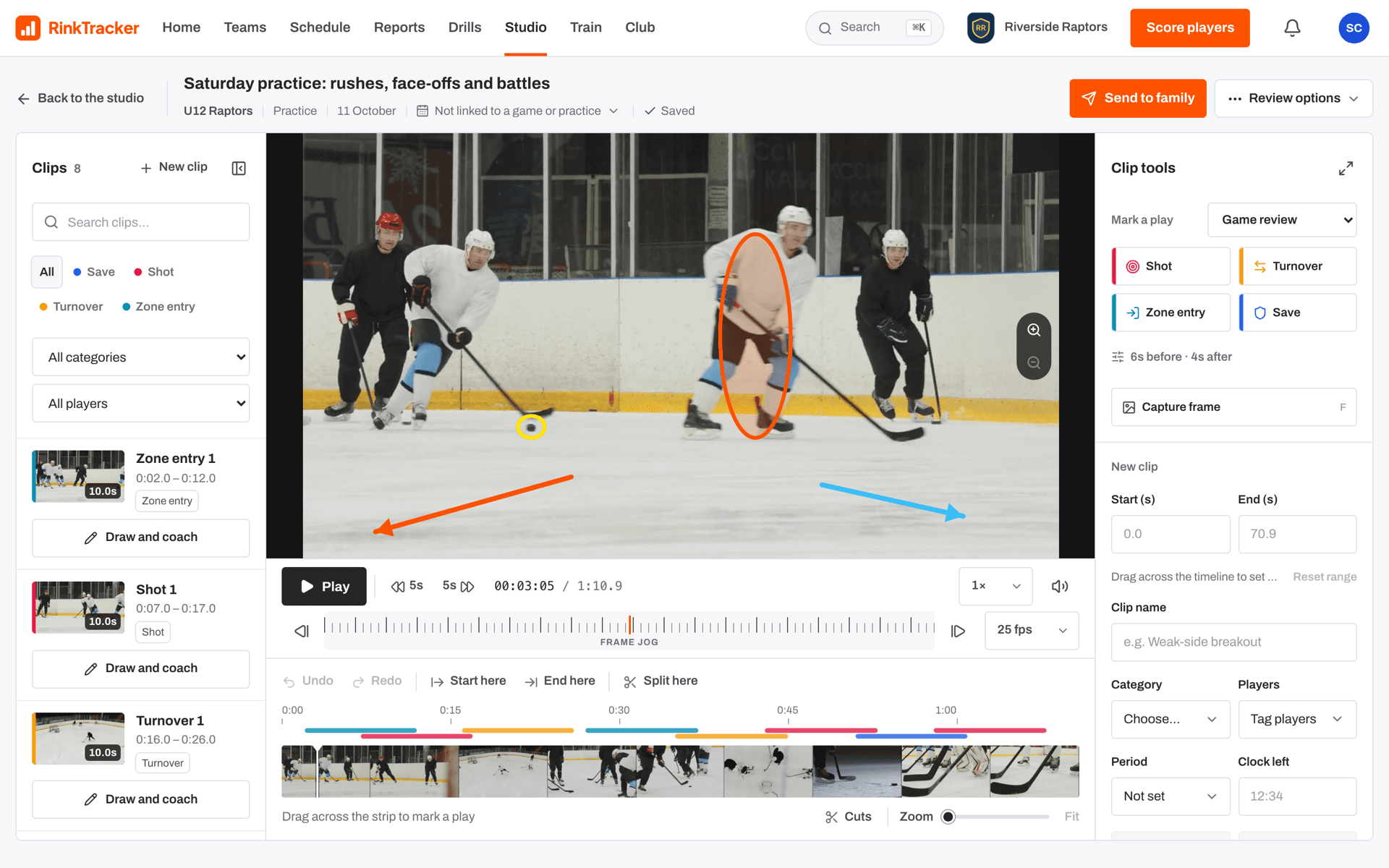
The frame jog wheel
Between the Back one frame and Forward one frame buttons is the Frame jog strip. Scroll or drag along it. Move slowly and it clicks through one frame at a time. Move quickly and it shuttles through the footage, up to eight times real speed, backwards or forwards. The caption shows the speed while it moves.
The clock reads minutes, seconds and frames. For exact frame steps, set the Source frame rate to match your camera.
Keyboard shortcuts
| Space or K | Play or pause |
| ← / → | Back or forward one frame |
| Shift + ← / → | Back or forward five seconds |
| I | Start the play at the playhead |
| O | End the play at the playhead |
| C | Split at the playhead |
| M | Mark a moment |
| F | Capture the frame to draw on |
| Alt or Option + key | Mark a play with that event's shortcut |
| Ctrl or Cmd + Z | Undo |
| Shift + Ctrl or Cmd + Z | Redo |
| Delete or Backspace | Delete the selected drawing |
| Esc | Let go of the selected drawing |
| + / − / 0 | Zoom the picture in, out, or back to normal |
When the timeline itself has focus, ← and → move one second (five with Shift), and Home and End go to the start and end. With a range handle focused, the arrows nudge it a tenth of a second, or a second with Shift. With the jog wheel focused, the arrows step a frame.
- Clips and the timeline Help article
- Marking plays with one press Help article
- Drawing on video Help article
- Keyboard shortcuts for scoring Help article
Still stuck? Email hello@rinktracker.com and we'll help.