Keyboard shortcuts for scoring
Score with the number keys on a computer or a tablet with a keyboard.
For coaches
On a computer, or a tablet with a keyboard, you can score the whole sheet without the mouse. The keys are shown at the bottom of the sheet.
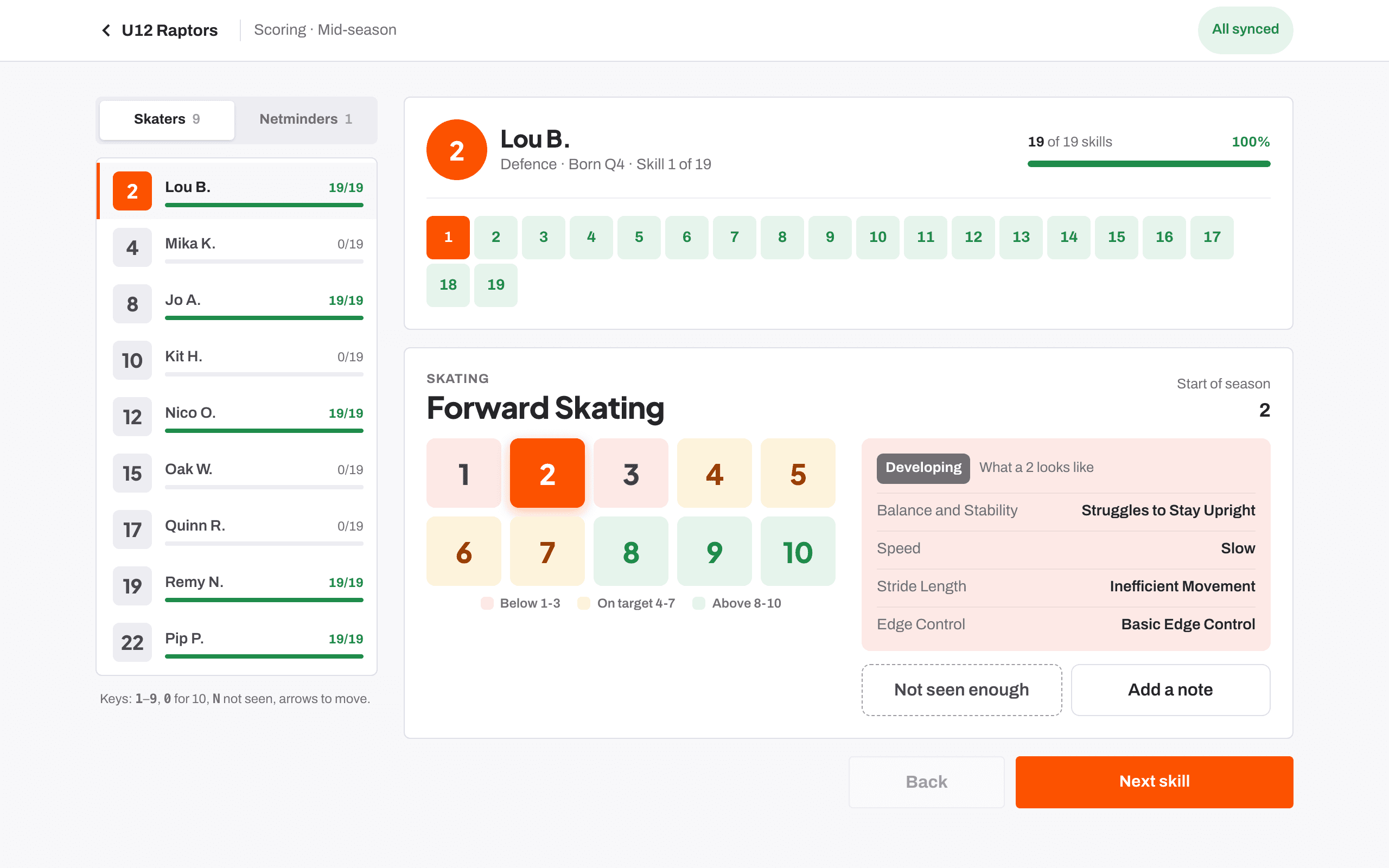
| 1 to 9 | Score that number |
| 0 | Score 10 |
| N | Not seen enough |
| → | Next skill, part or player |
| ← | Back |
The keys do nothing while you are typing a note, so you can write freely.
Searching while you score
| Ctrl + K or Cmd + K | Open search to jump to a player, team or drill |
Score one skill for everyone has no number keys. On a larger screen you click a score on each row.
A quick rhythm
If you score from a laptop after a session, press a number, read the description that appears for that level, then press → to move on. If the description does not match what you saw, press another number before moving. Press N for any skill you did not see.
Related
- Scoring a player at the boards Help article
- Searching the club Help article
- Scoring one skill for the whole team Help article
Still stuck? Email hello@rinktracker.com and we'll help.