The player page
Everything about one player in one place: scores, goals, practice, notes, medical details and reports.
For coaches, club admins
Open a player from their team's roster, or search for them with Ctrl or Cmd and K. Coaches see players on their own teams. Head coaches and club admins see everyone.
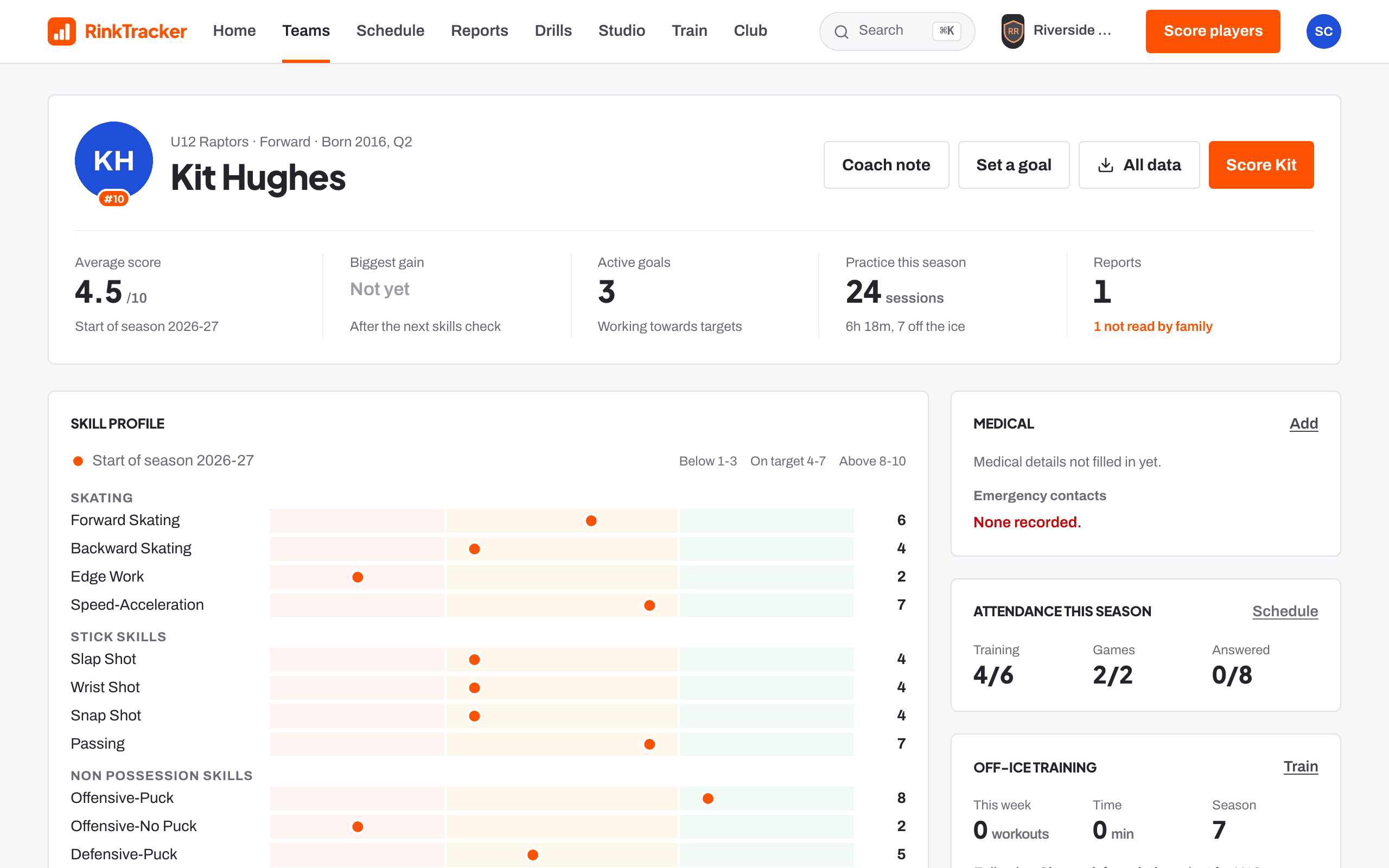
At the top
The header shows the player's team, position and birth year with birth quarter. The stats are Average score, Biggest gain, Active goals, Practice this season and Reports.
The buttons are:
- Score with the player's first name, while a window is open. It opens the scoring sheet at this player.
- Coach note and Set a goal.
- All data, a download of everything held on the player, for club admins and safeguarding leads.
The cards
- Medical: alerts and emergency contacts. On a phone this card comes first.
- SEND support, when a parent has shared it: what helps the player at training. Only the player's own coaches, head coaches and the welfare officer see it. See SEND support.
- Skill profile: each skill against the target for their age.
- Goals: suggestions, active goals and reviews.
- Coach notes: staff only.
- Game stats and Attendance this season.
- Off-ice training: programmes followed and recent workouts.
- Reports: whether each has been read and any parent notes.
- Consent: the family's choices. Parents manage these from their own account.
- Progress, once there is more than one skills check: the average over time, the biggest changes by skill and quick checks since the goals were set.
- Playing up and, on a mixed team, Girls' team: see playing up and girls' teams.
- Profile photo.
Club admins, head coaches and team managers can edit Player details: names, date of birth, position, shirt number and Sex recorded at birth.
Related
- Coach notes Help article
- Goals suggested from the scores Help article
- Searching the club Help article
Still stuck? Email hello@rinktracker.com and we'll help.