Goals suggested from the scores
After a skills check, RinkTracker suggests goals for each player from their scores, which you can set in one go.
For coaches
Once players have scores, RinkTracker suggests goals for each one. You choose which to set. Families see them straight away and practise on them.
Where the suggestions come from
Suggestions come from skills that are below their band or below what is expected at the player's age, skills that dropped since last time, and the lowest scores. One suggestion builds on a strength. Each shows why it was picked:
- Below expected
- Below age expectation
- Lowest rated
- Build on a strength
Where the drill library has a drill for the skill, it is attached.
For the whole team
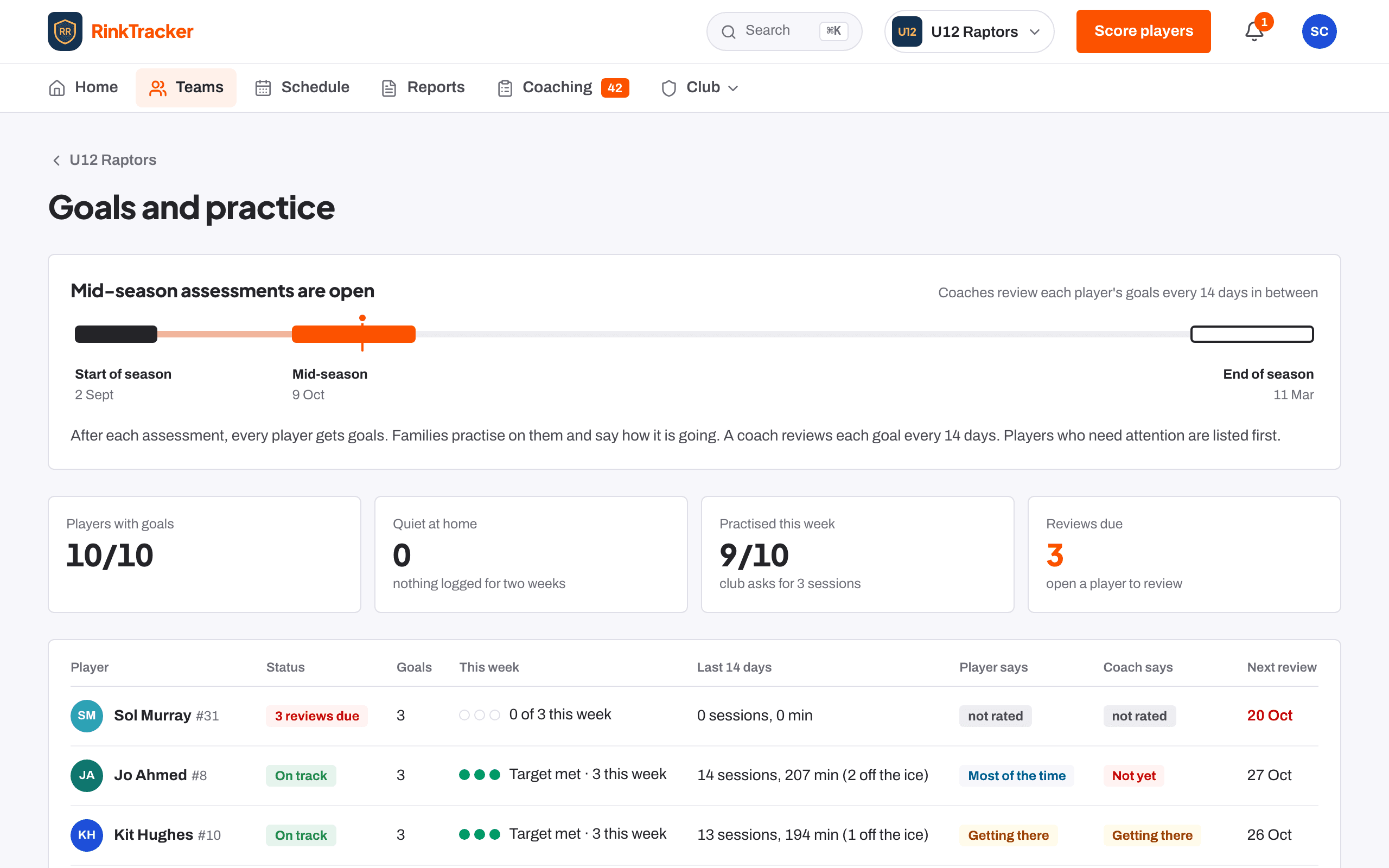
Open the team's Goals and practice board. If players have scores but no goals, Goals from the ratings lists suggestions for each. Press Set these goals for N players.
For one player
On the player's page, the Goals card shows suggested goals as cards. Tick the ones you want, then press Set ticked goals.
Writing your own
Open Write your own goal. Give it a title, the skill, a target score and a line on how. Pick off-ice exercises to attach, or leave them and the app picks the best four. Press Add goal.
Home shows Players without goals with a Set goals button, so nobody is missed.
- Reviewing a player's goals Help article
- The player page Help article
- Set and review goals Step-by-step guide
Still stuck? Email hello@rinktracker.com and we'll help.