Searching the club
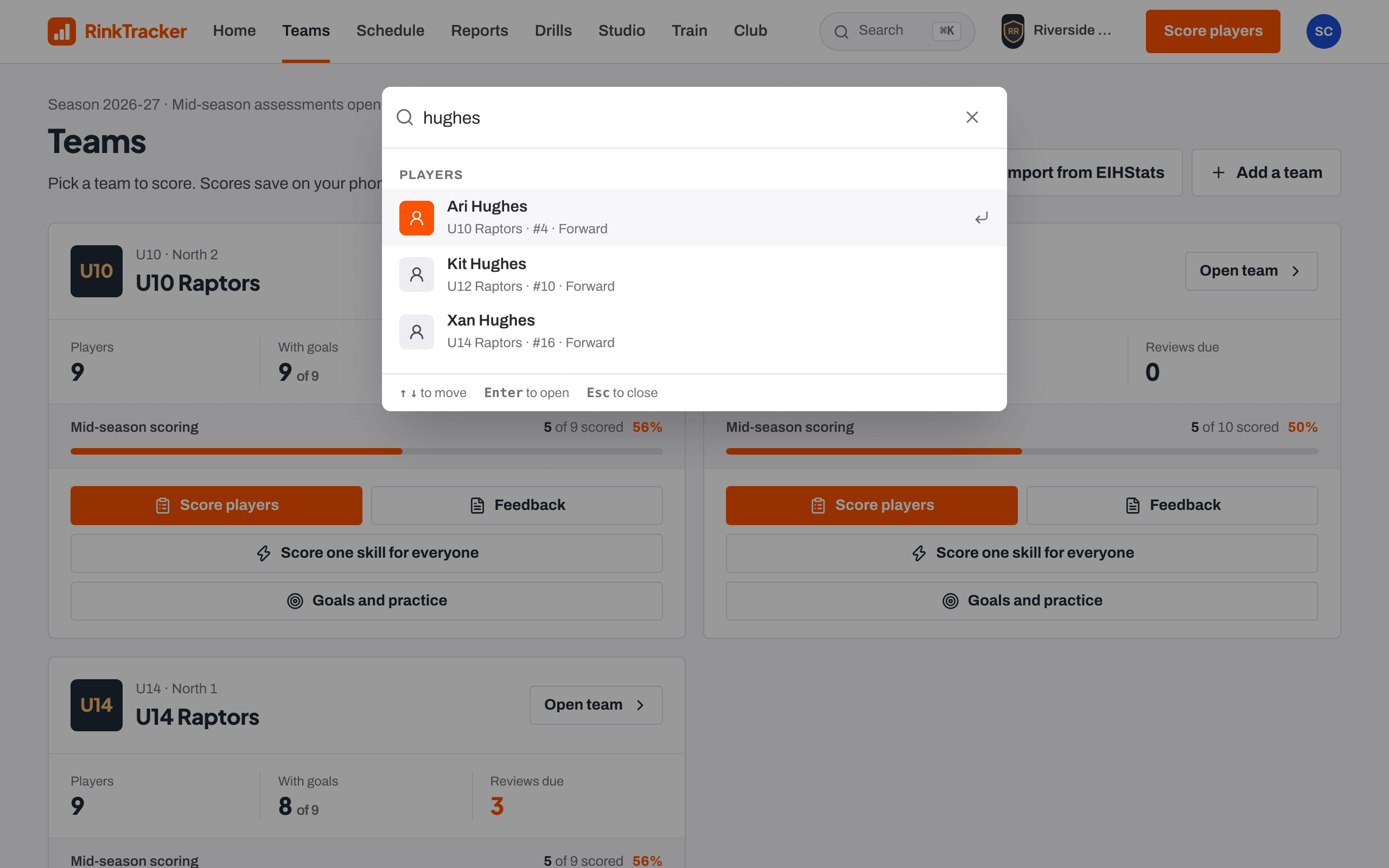
Find a player, team, drill, video or event from any page with Ctrl or Cmd and K, the / key, or the search icon on a phone.
For coaches, families, club admins
Search works from every page. It only ever shows what you are allowed to see.
Open search
- On a computer, press Ctrl and K (Cmd and K on a Mac), or press / when you are not typing in a box. You can also click the Search box in the top bar.
- On a phone, tap the magnifying glass at the top of the screen.
| Ctrl + K or Cmd + K | Open search from anywhere |
| / | Open search when you are not typing |
| ↑ and ↓ | Move through the results |
| Enter | Open the highlighted result |
| Esc | Close search |
What you can search for
Staff can type a name, a team, a shirt number such as #14, a drill or an event. Results are grouped into Players, Teams, Schedule, Drills, Session plans, Videos and Staff. A coach only sees players on the teams they coach. Head coaches and club admins see the whole club.
Parents can search for their own children and the schedule. Nothing about other families' children appears.
Where a result takes you
A player opens their player page for staff, or the family page for parents. A video opens in the Studio for coaches who can score, and as a single clip for other staff.
- Finding your way round the app Help article
- The player page Help article
- Roles: who sees what Help article
Still stuck? Email hello@rinktracker.com and we'll help.