Publishing reports to families
Once feedback is approved, a head coach or club admin publishes each player's report and the family is emailed.
For coaches, club admins
A report is published for each player after each skills check. It goes only to that player's family.
Who can publish
Club admins and head coaches publish. Coaches can draft and approve feedback, and the page tells them a head coach or club admin publishes the reports.
Publishing
- Open the team, then Feedback and reports, and pick the window.
- Check that feedback is approved for each player.
- Press Publish all approved, or open one player and press Publish to parents.
Each family who has joined gets an email straight away. If no parent has joined yet, the report is still published and waits for them.
After publishing
Reports (in More on a phone) lists every published report and whether a parent has read it. The tiles show how many are published, the share read by a parent, and parent notes.
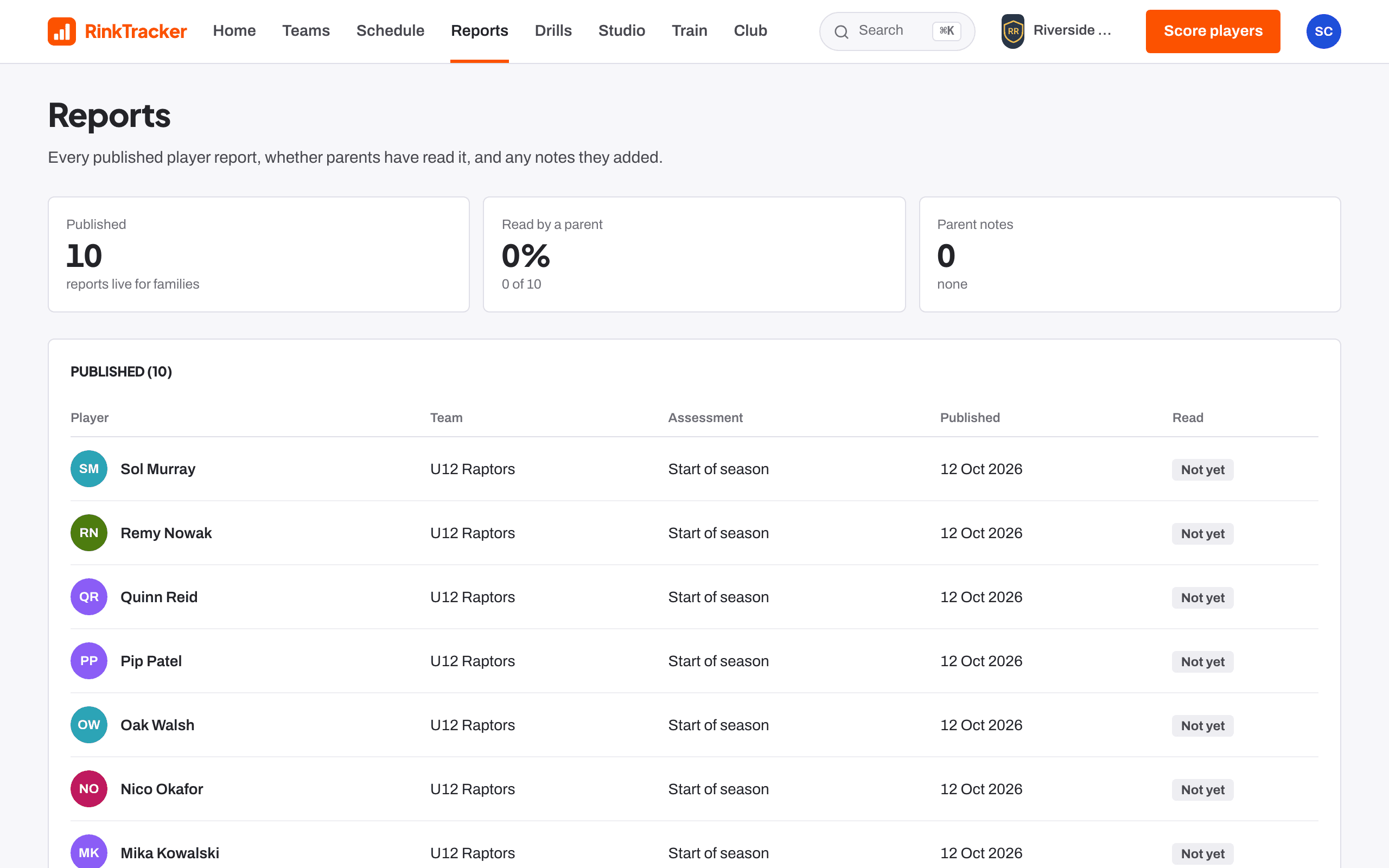
Families can mark a report as read and add a note if they disagree. A note does not change the scores. Home shows Parent notes on reports so you can read them.
Changes and withdrawals
If scores change after publishing, the player's feedback page says so. Publish again to update the family.
To take a report down, open it and press Withdraw this report. Give a reason, which is kept in the audit log. The family can no longer see it.
- Drafting and approving feedback Help article
- Downloading a report as a PDF Help article
- Reading your child's report Help article
Still stuck? Email hello@rinktracker.com and we'll help.