Reviewing a player's goals
Check in on each goal every couple of weeks, rate how it is going, and share the review with the family.
For coaches
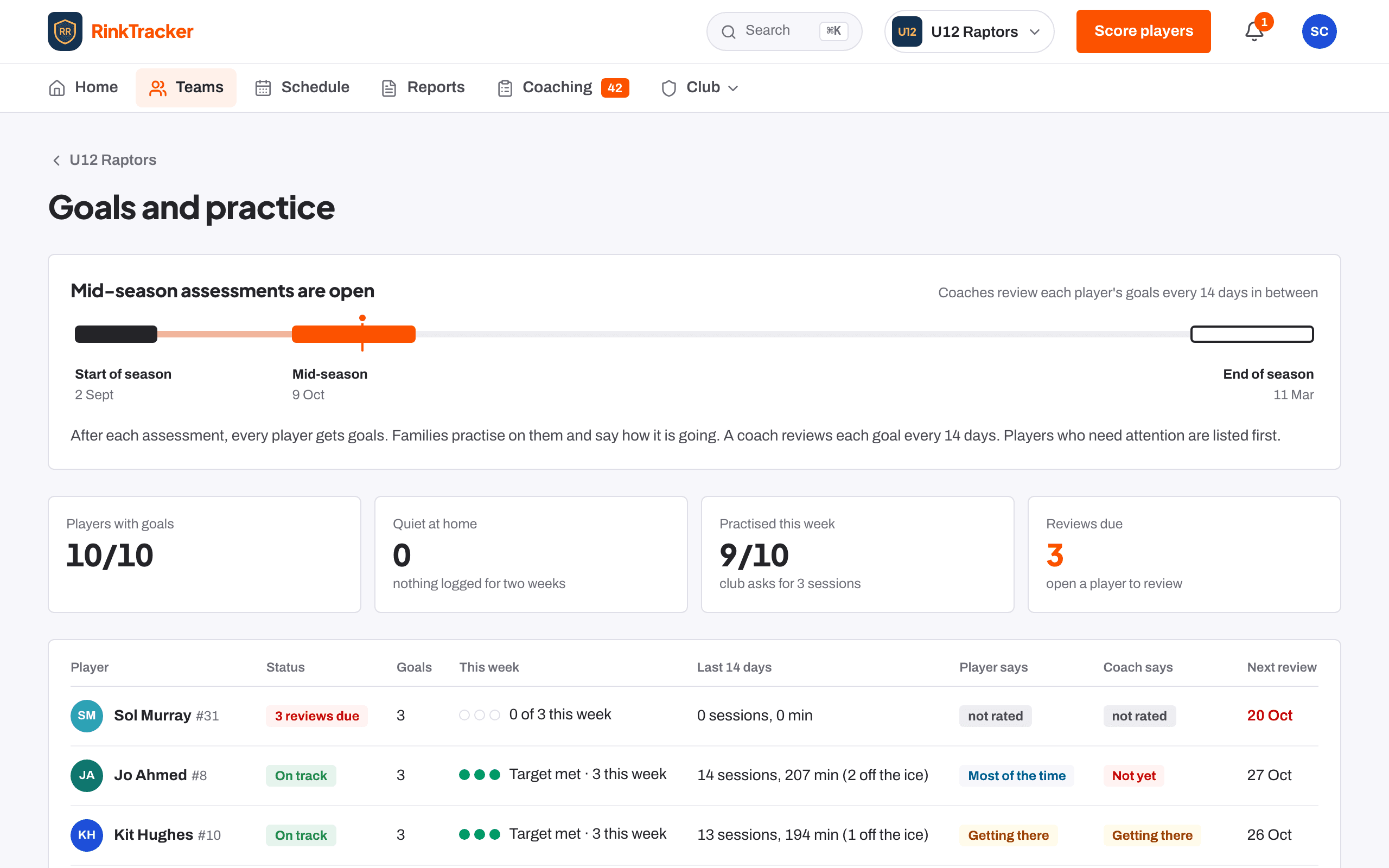
Goals are reviewed between skills checks, not only three times a season. Your club sets how often, from every 7 days to every 42. When a review is due, the goal shows Review due, and Home lists Goal reviews due with a Review button.
Reviewing a goal
- Open the player's page and go to the Goals card.
- Press Review this goal.
- Under How is it going?, choose Not yet, Getting there, Most of the time or Got it.
- Add a Spot check from 1 to 10 if you want. This is optional and is not a window score.
- Add a note.
- Leave Share this review with the family ticked to let them see it, or untick it.
- If the player has reached the goal, tick Goal achieved: close it.
- Press Save review.
What you can see on each goal
- The player's own rating and yours.
- Spot checks over time, and how much practice has been logged.
- A warning if nothing has been logged from home for two weeks.
Earlier reviews are under History.
Related
- Goals suggested from the scores Help article
- Coach notes Help article
- Set and review goals Step-by-step guide
Still stuck? Email hello@rinktracker.com and we'll help.