Using RinkTracker with no signal
Scores and coach notes save on your phone at the rink and sync when you are back in signal.
For coaches
Rinks often have poor signal. RinkTracker is built so you can keep scoring anyway.
What works offline
- Every score you tap is saved on your phone first, then sent when there is signal. This applies to the main scoring sheet and to Score one skill for everyone.
- Notes you add while scoring are saved the same way.
- While your phone has signal, the app saves every team's score sheet for the open skills check, refreshed at most every half hour. With no signal, any page shows Score sheets on this phone, each with a Score button. They are cleared when you sign out.
- Parents and players can log a workout with no signal. It uploads next time they open Train with a connection.
The sync pill
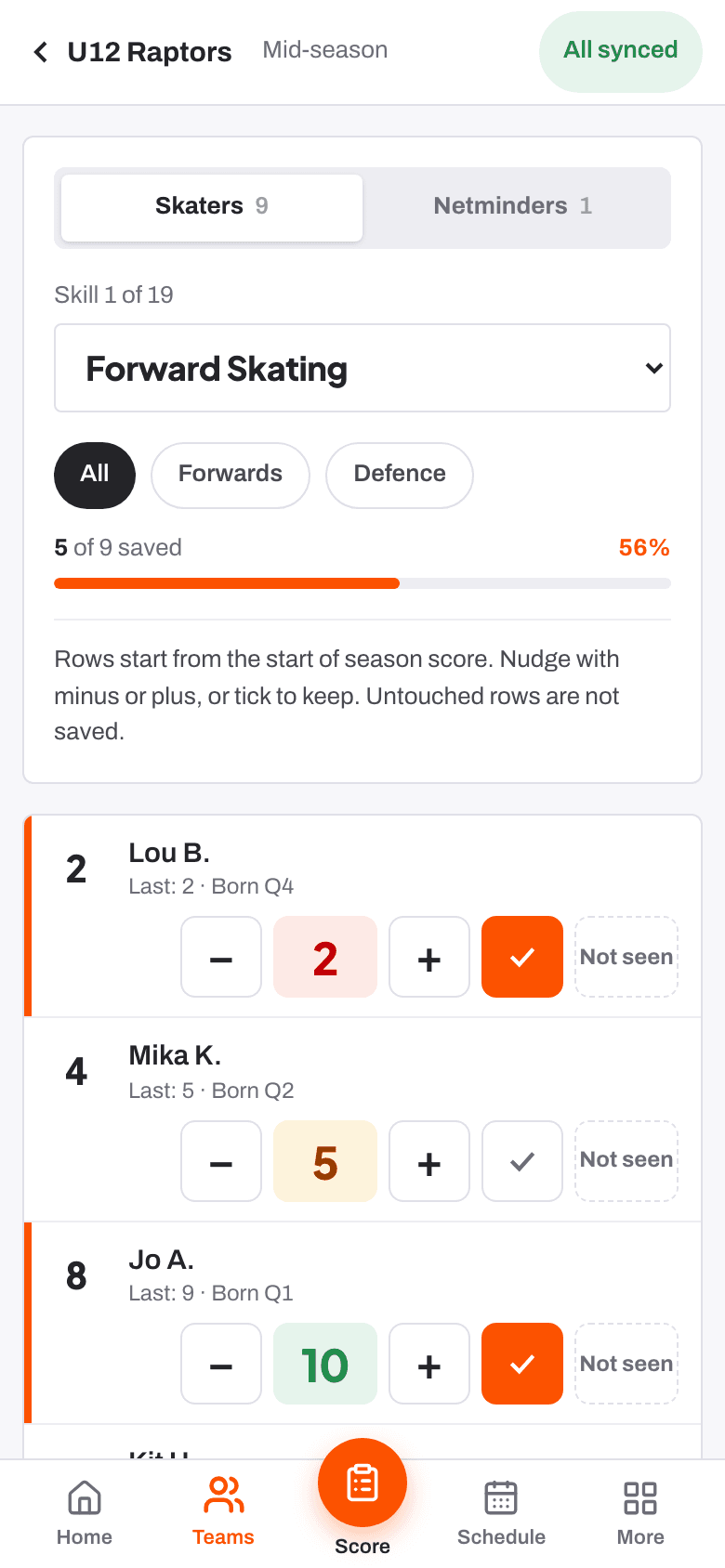
The top of the scoring sheet shows how your scores are doing.
| All synced | Everything is saved on the server. |
| Syncing | Scores are being sent now. |
| N on phone | That many taps are waiting on this device. |
| No signal | Shown in front of the count while you are offline. |
| Sign in to sync | Your sign-in has run out. Sign in again and the scores send. |
Scores send when you tap, when signal comes back, when you return to the app, and every so often. Tap the pill to send them now. Sending twice never makes a duplicate score.
On a shared tablet, each coach's taps are kept separate, so scores are never mixed up between coaches.
Related
- Scoring a player at the boards Help article
- Putting RinkTracker on your phone's home screen Help article
- Score at the boards Step-by-step guide
Still stuck? Email hello@rinktracker.com and we'll help.