Open the score sheet
- On your phone, press the orange Score button in the middle of the bottom menu.
- If you coach one team, the sheet opens straight away. Otherwise choose the team on Teams and press Score players.
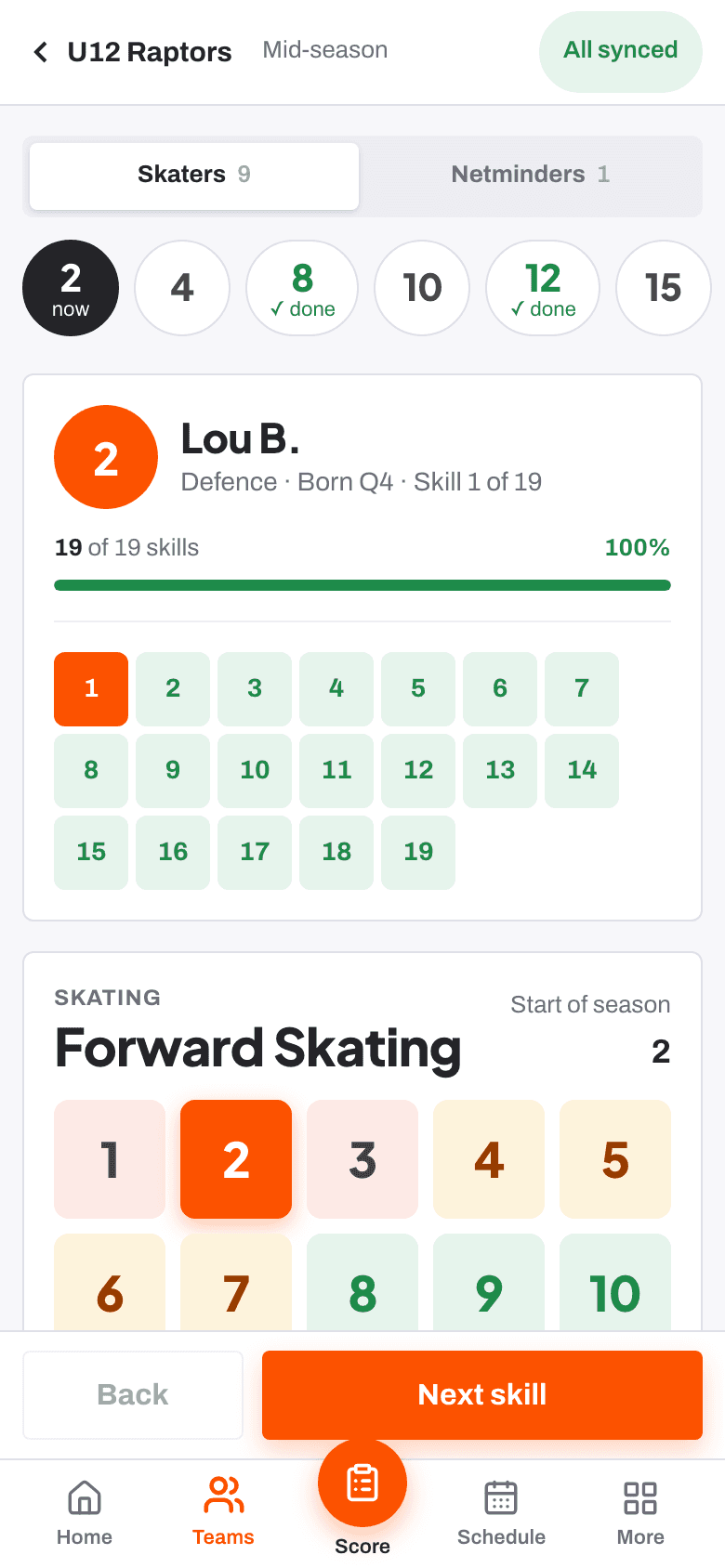
The header reads Scoring and the window name, with a small sync pill beside it.
Pick a player
On a phone, a strip of shirt numbers runs across the top. The player you are on is marked now and finished players are ticked. If the team has netminders, switch between Skaters and Netminders.
Score the skill
Each skill shows its name and group, the player's score from the last window and the typical range for their age, outlined on the buttons.
- Tap a level from 1 to 10.
- Read What a [n] looks like underneath. These are the same words every coach scores against, so check it is the one you mean.
- Press Next skill to move on.
Use Not seen enough rather than guess
If you haven't seen enough of a skill to judge it, press Not seen enough. It never counts as a low score and is left out of averages.
Add a note while it's fresh
Press Add a note to jot down what you saw, then Save note. You can use your keyboard's microphone to dictate it.
Move through the team and finish
Use Next player when you finish a player and Back to go back. At the end of the sheet you see how many players are scored, with Draft feedback, Back to the team and Keep scoring.
On a tablet or computer with a keyboard you can score without the mouse.
| 1 to 9 | Score that level |
| 0 | Score 10 |
| N | Not seen enough |
| Left and right arrows | Move back and forward |
Check everything has synced
Every tap is saved on your phone first, then sent when there's signal. The pill shows where things are.
- All synced: everything has reached the club.
- N on phone: scores waiting to send. Tap the pill to send them now.
- No signal: you're offline. Keep scoring; they send when you're back in signal.
- Score one skill for everyone Guide
- When you have not seen enough to score Help article
- Using RinkTracker with no signal Help article
- Keyboard shortcuts for scoring Help article
Stuck? Email hello@rinktracker.com or search the help centre.