Session plans and the bench runner
Plan a practice from timed drills, breaks and stations, then run it from the bench with a countdown.
For coaches
Session plans are for coaching staff: club admins, head coaches, coaches and team managers. Find them under Sessions on the Club page, or press Plan a session on Home or Drills.
Starting a plan
- Press Plan a session.
- Under Which training is it for? pick a training from the schedule, or Not for a scheduled training and set the team, date and start.
- Under Start from choose Blank session or a template, then Create session.
Templates include Skill development, Station practice, Team systems, Game-day skate, Breakouts & neutral zone, Forecheck & defensive zone, Special teams, Rush & offensive zone, and Youth skills: edges, passing, compete.
You can also start from an event: open a training on the schedule and press Plan this session. If the team has a season plan, This week's focus builds the session around that week's focus.
Editing
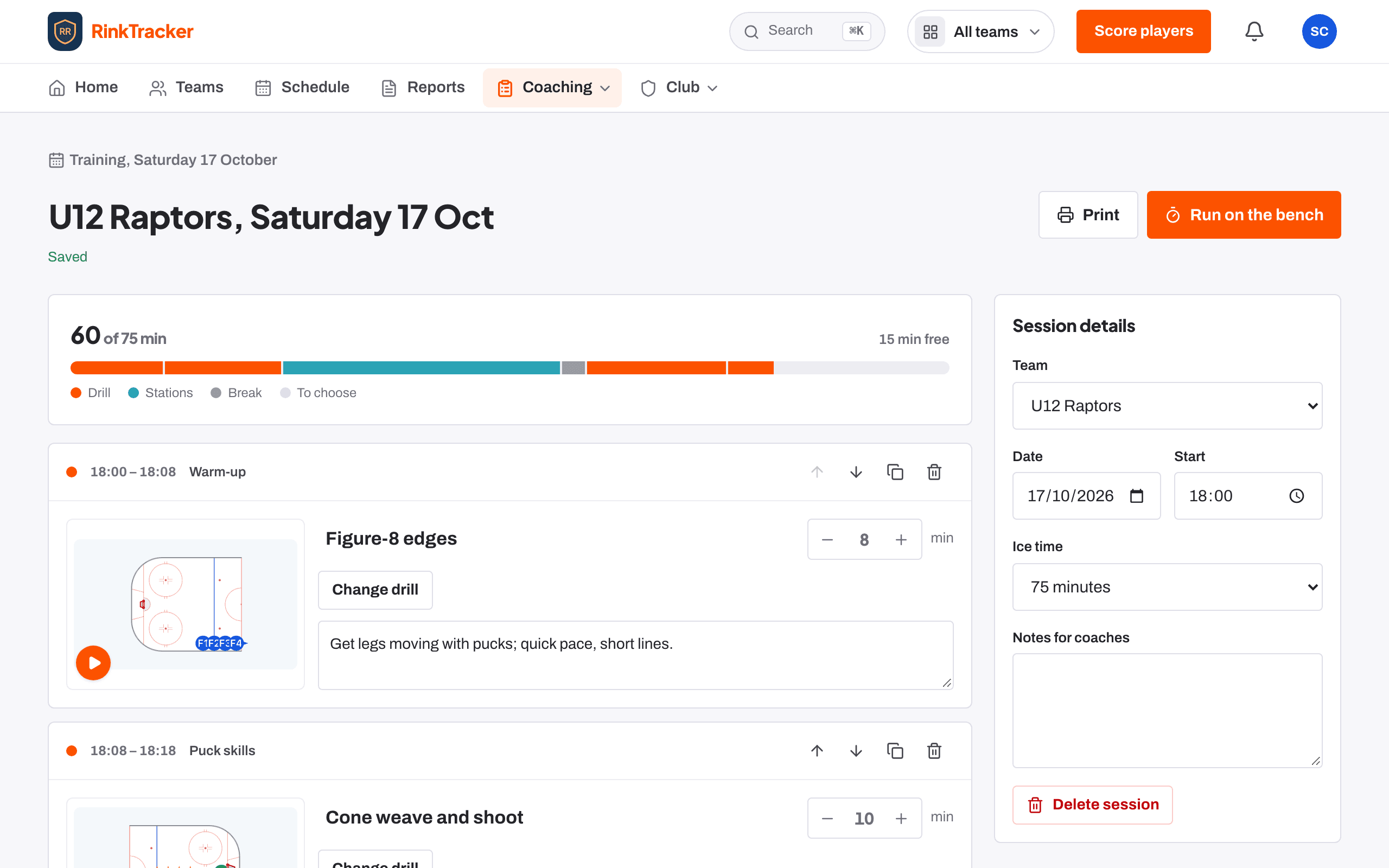
A plan is a list of blocks: Drill, Stations, Break or To choose. Give each one minutes and notes, and move, duplicate or remove it. Choose drill opens the library with Best matches first. The details hold the team, date, start, ice time and Notes for coaches. The plan saves as you go.
Running it on the bench
Press Run on the bench for a full-screen countdown for each block, with the drill animating. Use Previous, Start or Pause, and Next. Stations show which rotation you are on and how often groups move. The screen stays awake while it runs, and the clock is kept on that device if you leave and come back.
- The drill library Help article
- The season plan and drill of the week Help article
- The schedule and adding events Help article
- Plan a training session Step-by-step guide
- Run a session from the bench Step-by-step guide
Still stuck? Email hello@rinktracker.com and we'll help.