The season plan and drill of the week
Give each week a focus for your team and set an at-home drill of the week that families can tick off.
For coaches, families, players
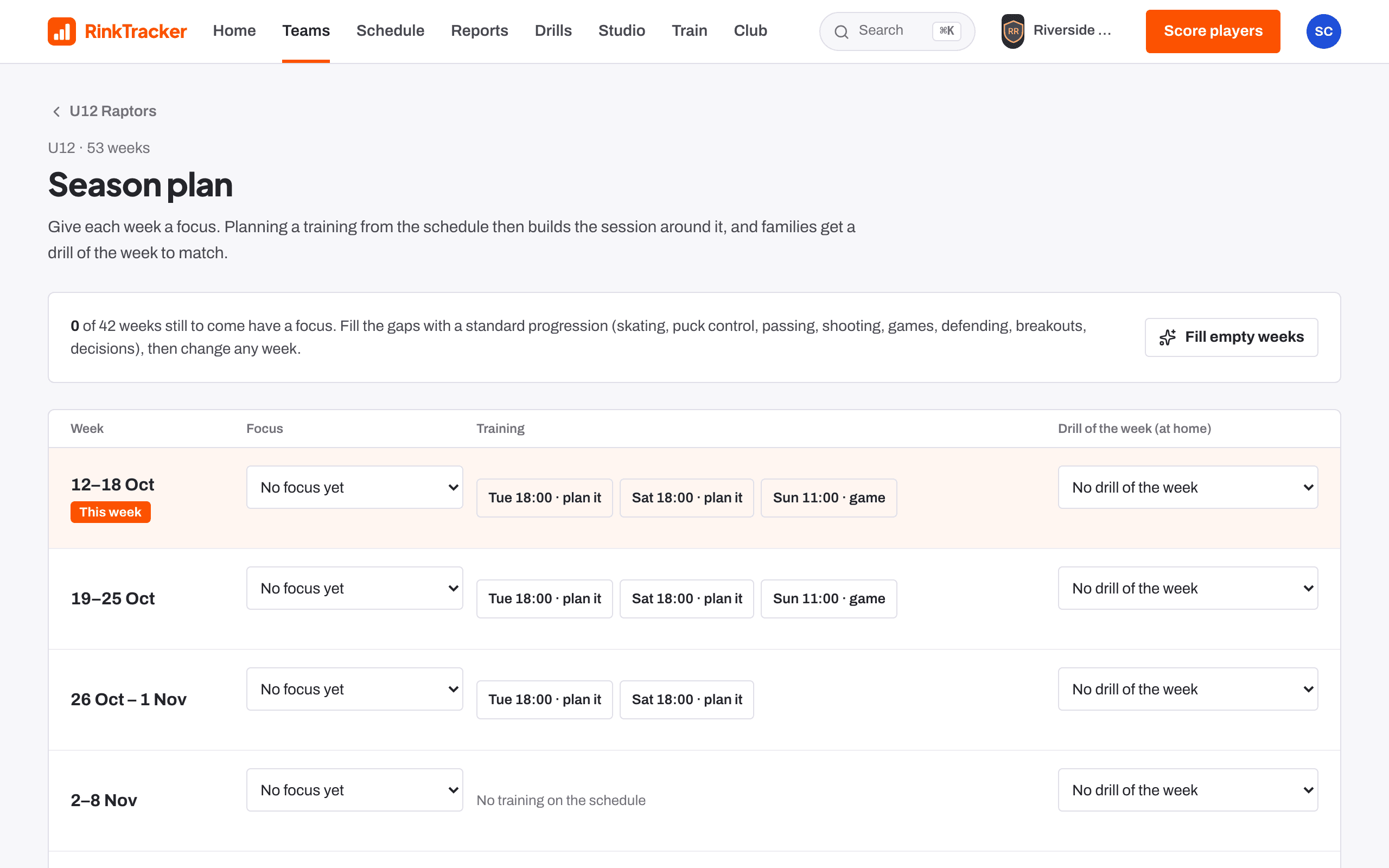
The season plan gives each week a focus. Planning a training from the schedule then builds the session around it, and families get a drill of the week to match. Open it from Season plan in a team's tools.
Setting it up
- Each week has a Focus and a Drill of the week (at home). Both save as soon as you change them.
- Fill empty weeks fills the gaps with the standard progression: skating, puck control, passing, shooting, games, defending, breakouts, decisions.
- Show all weeks and Earlier weeks show the rest of the season.
Club admins, head coaches, coaches and team managers can edit it.
Drill of the week
You can also set it from an at-home drill's page: press Set for this week and add a note for families if you like.
Families see the drill and tick it off with Mark [child] done. A player with their own login uses Mark as done. Coaches see how many players did it, and the drill shows on Home under Drill of the week.
- Session plans and the bench runner Help article
- The drill library Help article
- Logging practice at home Help article
- Plan a training session Step-by-step guide
Still stuck? Email hello@rinktracker.com and we'll help.