Sending announcements
Send a one-way message to a team's parents or the whole club by email and in the app.
For coaches, club admins, families
Announcements are for club news and notices. Any staff can read them. Club admins, head coaches and team managers can send them.
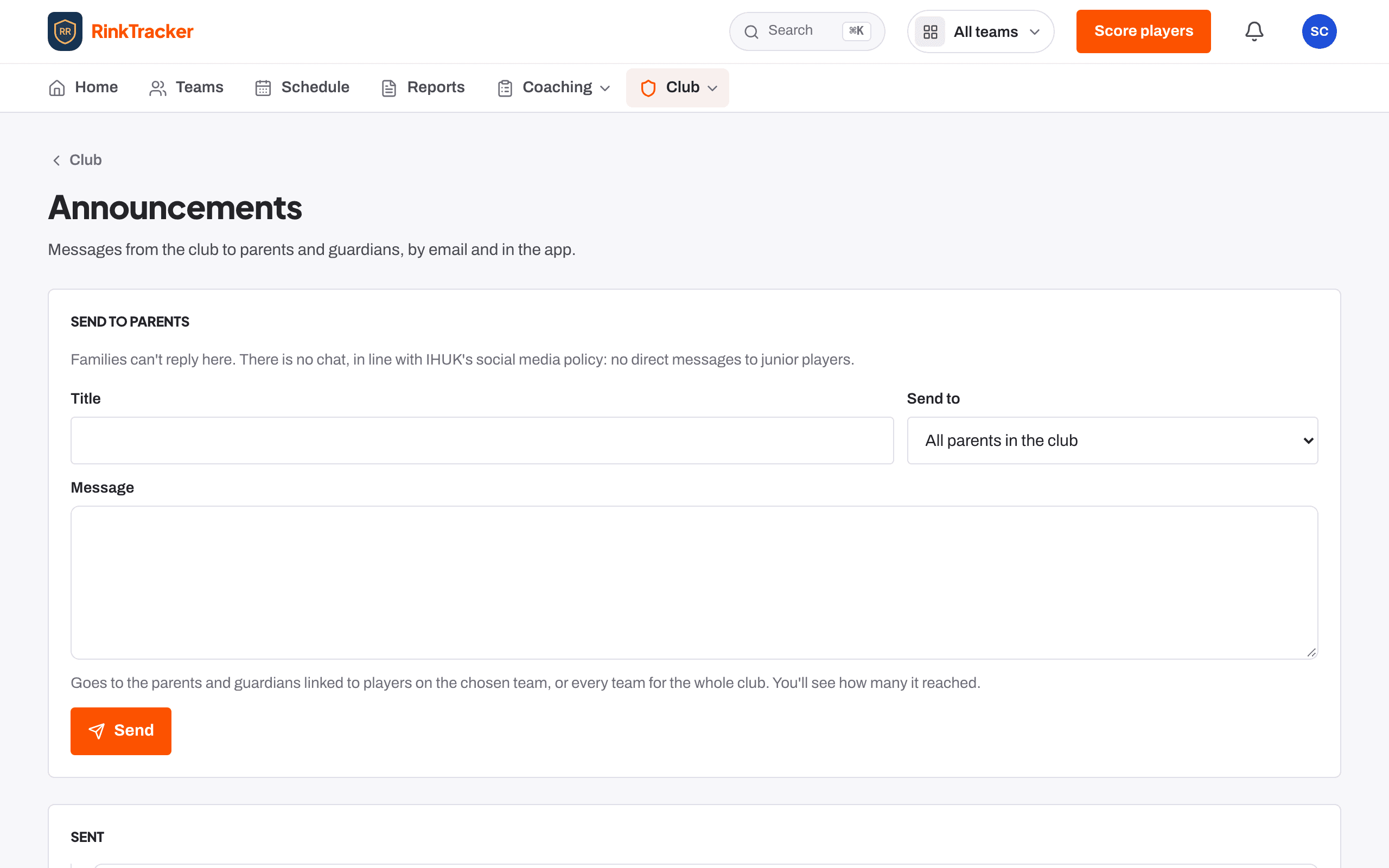
- Open Announcements from the Club page.
- Under Send to parents, give it a Title.
- Under Send to, choose a team or All parents in the club.
- Write the Message.
- Send it, and confirm. It goes by email and in the app, and it cannot be unsent.
The email subject is your club's name followed by the title. The Sent list shows each message and how many people it reached.
What families see
Announcements appear on a family's Home under From the club, as well as in their email.
Related
- The schedule and adding events Help article
- Notifications, emails and turning them off Help article
- Your family home page: This week Help article
Still stuck? Email hello@rinktracker.com and we'll help.