Notifications, emails and turning them off
The inbox under the bell, notifications on your phone or computer, the reminder emails, and how to choose what reaches you.
For coaches, families, players, club admins
Everything RinkTracker tells you lands in the inbox under the bell at the top. You choose what also comes to your phone or computer as a notification, and which reminder emails you get.
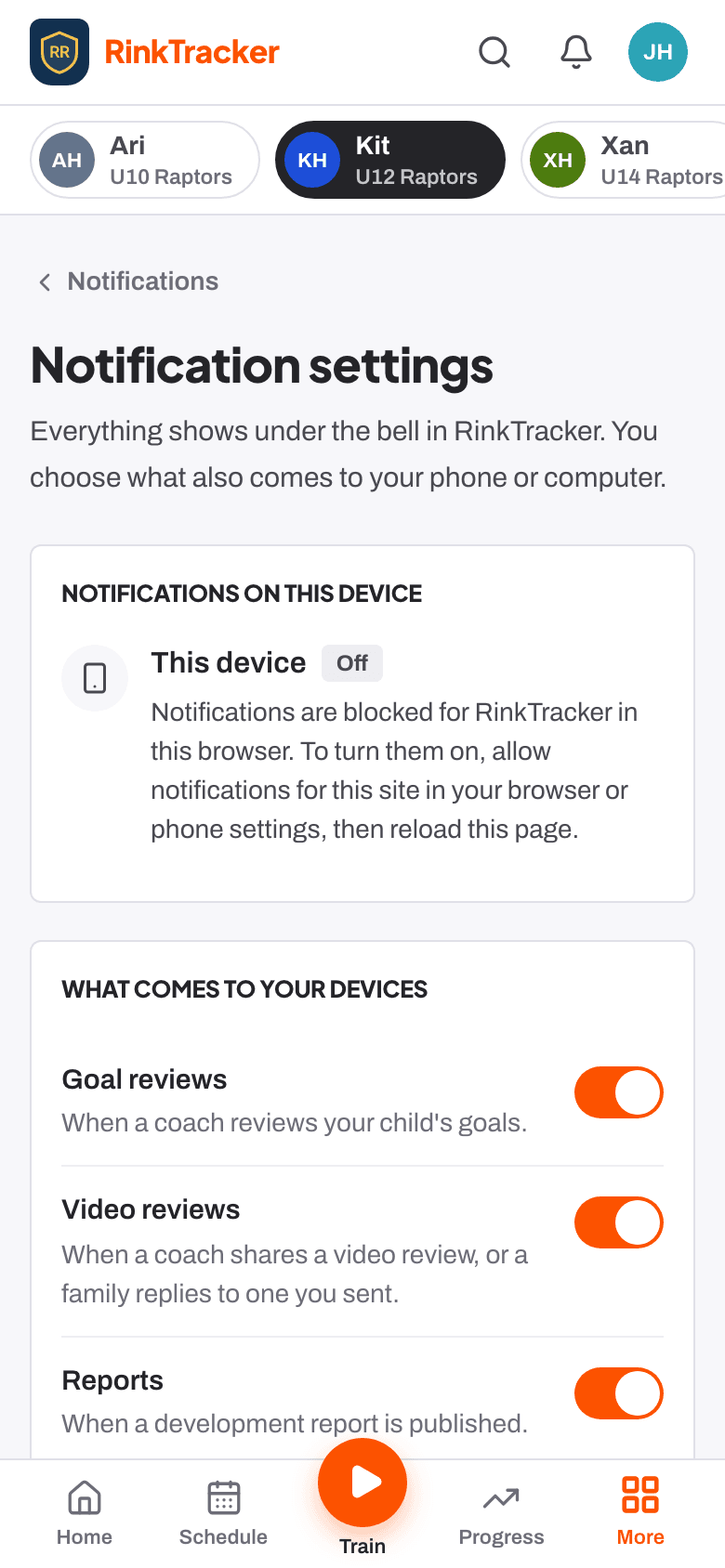
Turning notifications on
- On Home, press Turn on notifications on the card, and allow them when your browser asks. Not now hides the card on that device for 14 days.
- On an iPhone, add RinkTracker to your Home Screen first: the card's Show me how explains it. See putting RinkTracker on your phone.
- Choose what comes to the device under Your profile, then Notification settings.
Families can turn on goal reviews, video reviews, reports, announcements, training and games, awards and off-ice reminders. Staff can also turn on notes on reports, video replies from families and feedback on their coaching. Only the safeguarding lead gets safeguarding alerts, and they never say what the concern is about.
Reminder emails you can switch off
| Sunday practice reminder | Parents: this week's practice and the goals for next week. |
| Training and game emails | Parents and players: new sessions and games, a reminder two days before if you have not answered, changes and cancellations. Switch it on Schedule. |
| Day-before answers | Coaches: the day before each event, who is coming, who has not answered and any notes. Switch it on Schedule. |
| Monday coach digest | Coaches: reviews due, families gone quiet and players without goals. Switch it on Home. |
Each switch reads Turn it off or Turn it back on, and every reminder email has a link at the bottom to stop it in one click. If a switch says the club has turned the email off for everyone, your club admin has switched it off in Club settings.
Emails that come when something happens
- Your sign-in link. Each link works once, for 15 minutes.
- An invitation to join the club.
- A new report for your child, when the club publishes it.
- A video review from a coach.
- Announcements from the club.
Emails come from hello@rinktracker.com. RinkTracker has no chat or direct messages, and families cannot reply to announcements in the app.
- Your profile and account Help article
- The schedule and adding events Help article
- Sending announcements Help article
- Putting RinkTracker on your phone's home screen Help article
Still stuck? Email hello@rinktracker.com and we'll help.