Taking the register
Mark who was here, late, absent or excused at a training or game, and how attendance is counted.
For coaches
Club admins, head coaches, coaches and team managers can take the register. It works on a phone at the rink.
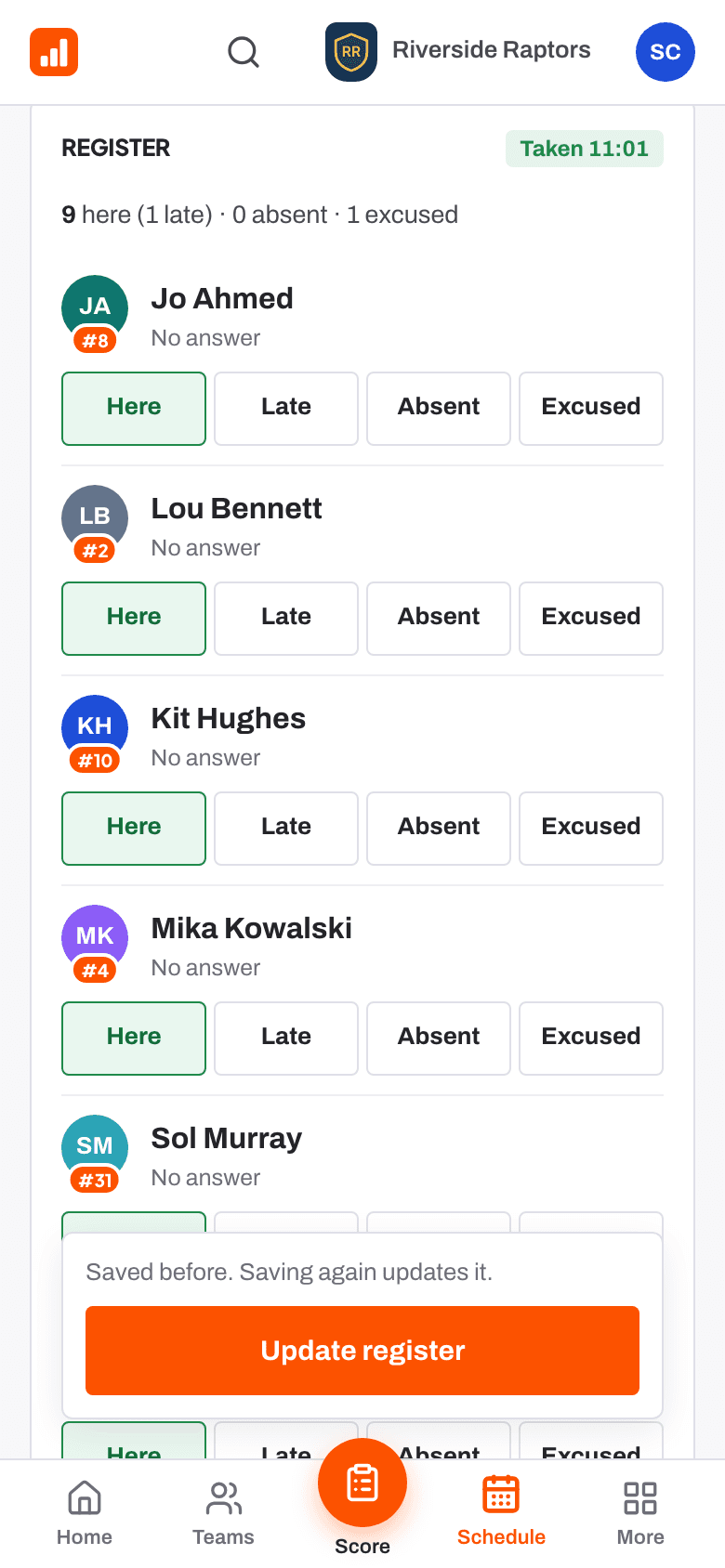
- Open the event from Schedule, or press Take next to Register to take on Home.
- The register starts from the replies: yes is marked Here and no is marked Excused.
- Change anyone who needs it to Here, Late, Absent or Excused.
- Press Save register. Anyone left unmarked is saved as absent.
The register opens on the day of the event. To change it later, open the event again and press Update register.
How attendance is counted
A team's Attendance tab shows each player's training percentage, lates, games, how often they answered, and Said yes, missed. It counts only events where the register was taken. Excused absences are not counted as attended. Only club staff see this table.
Attendance this season also shows on each player's page for staff.
Related
- Who's coming: availability replies Help article
- Lines and the game-day sheet Help article
- The schedule and adding events Help article
- Take the register and pick lines Step-by-step guide
Still stuck? Email hello@rinktracker.com and we'll help.