Lines and the game-day sheet
Build forward lines, defence pairs and netminders from who is coming, then print a game-day sheet.
For coaches
Open a game or training from Schedule and press Build lines (or Edit lines). Club admins, head coaches, coaches and team managers can build them.
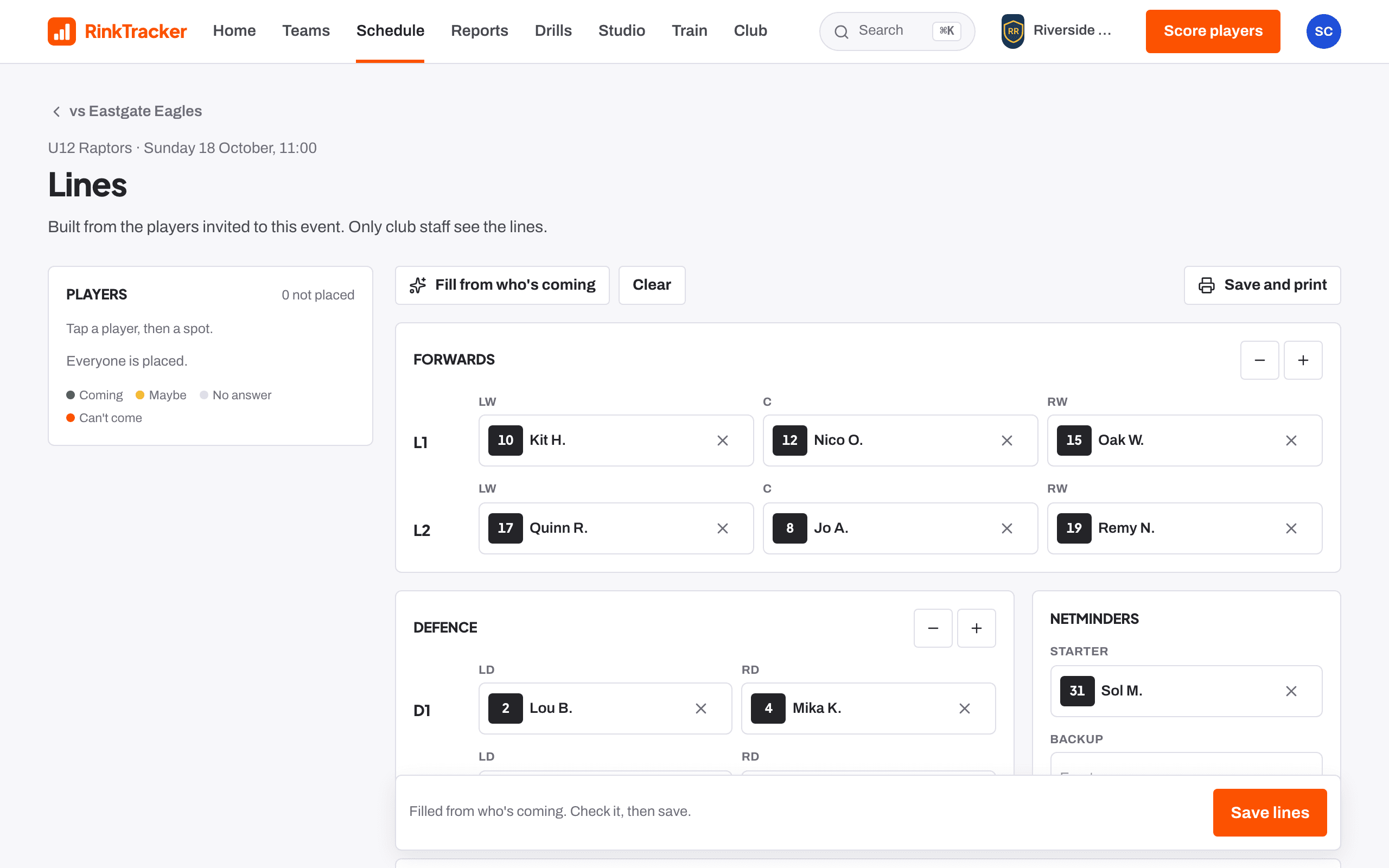
Building lines
- Tap a player, then tap a spot.
- Forwards go in lines of three. Add or remove lines, up to four.
- Defence go in pairs, then the netminders.
- Fill from who's coming fills the spots from the players who said yes. Clear empties them.
- Pick a captain and alternates, and add Notes for the bench.
- Press Save lines.
The legend shows each player's reply: Coming, Maybe, No answer or Can't come.
The game-day sheet
On a game, press Game-day sheet for a full-screen sheet: lines (LW, C, RW), defence pairs, netminders, Bench staff, Not dressed and notes. Press Print or save as PDF to take it to the rink.
Related
- Who's coming: availability replies Help article
- Taking the register Help article
- The schedule and adding events Help article
- Take the register and pick lines Step-by-step guide
Still stuck? Email hello@rinktracker.com and we'll help.