01
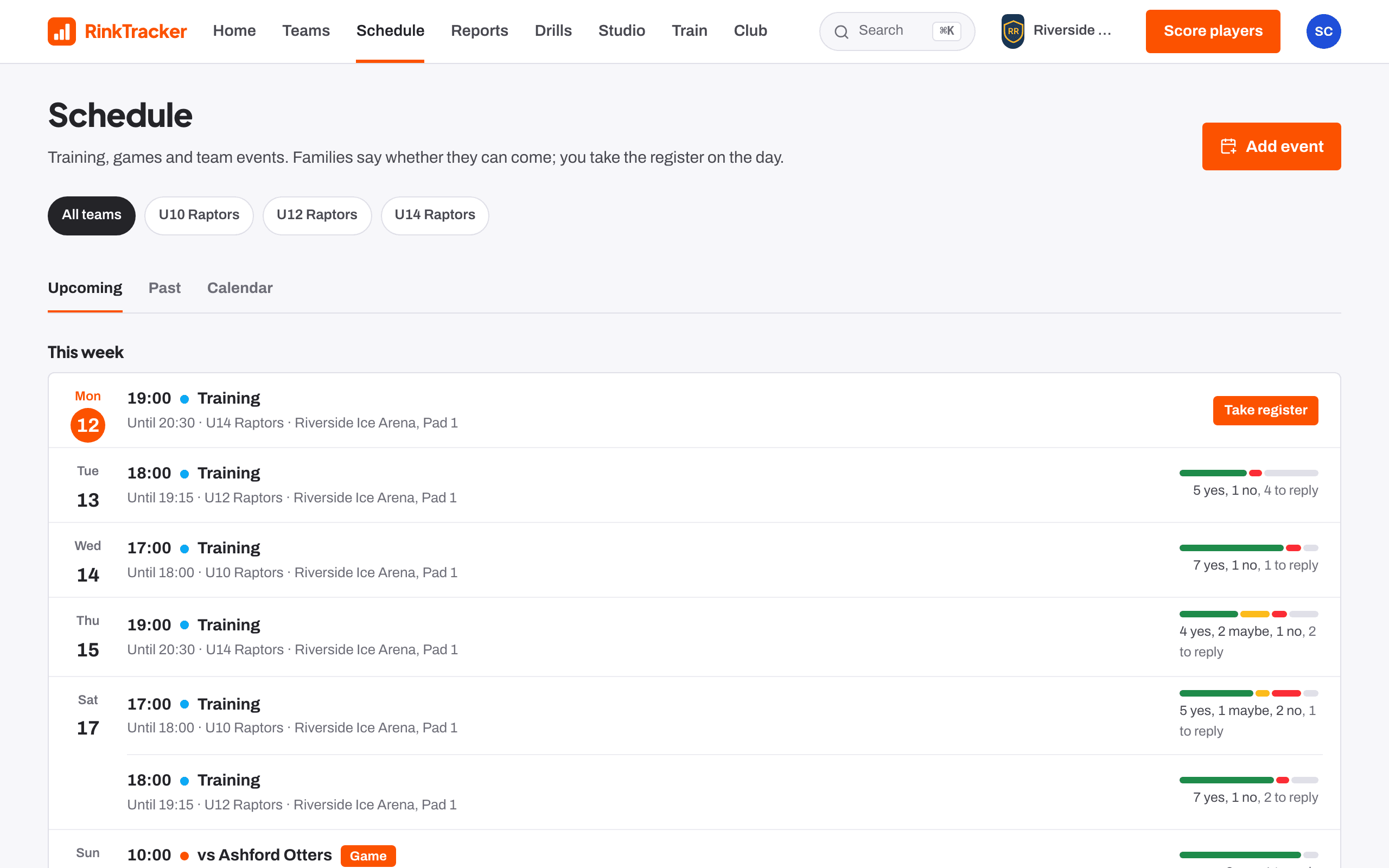
See who's coming
Schedule shows each event with how many families have said yes, no or maybe. Open an event for its Answers: Yes, Maybe, No and Waiting.
If a parent tells you at the rink, record it under Who's coming. Tap again to clear it.
02
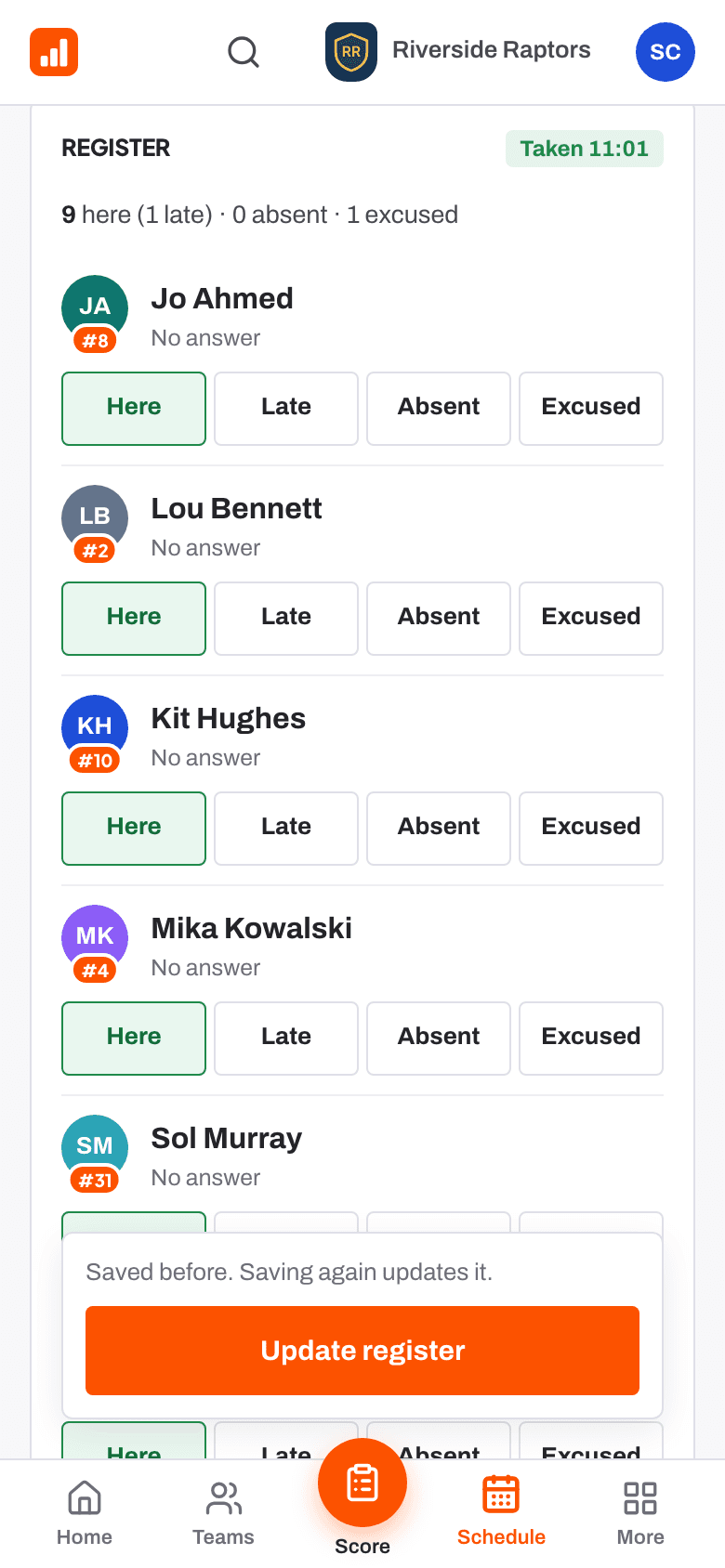
Take the register
- Press Take register on the event in Coming up on Home, or on the schedule.
- The register starts from the answers: yes as Here, no as Excused.
- Mark each player Here, Late, Absent or Excused.
- Press Save register. You can change it later with Update register.
03
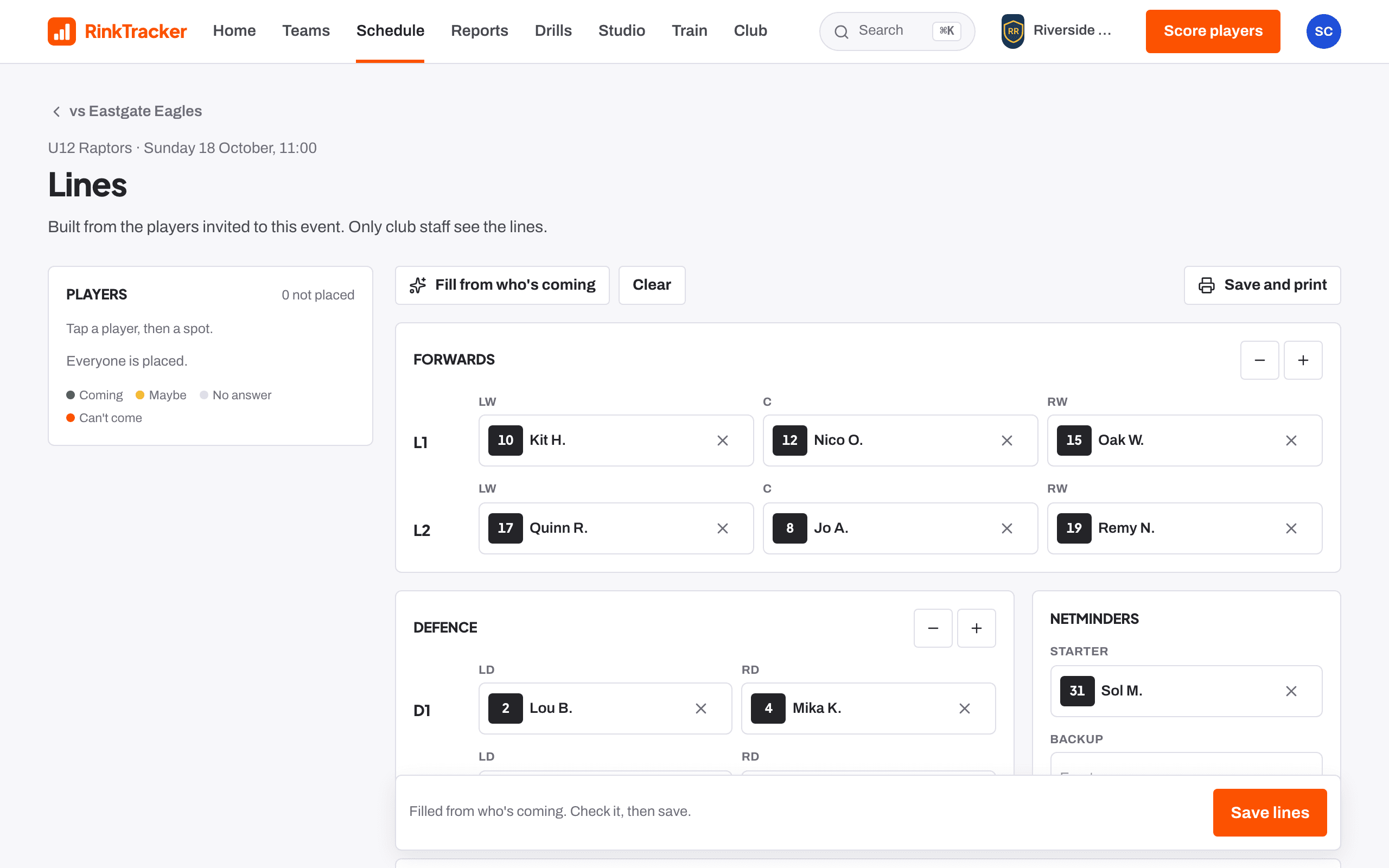
Build the lines for a game
- On the game's page, press Build lines.
- Press Fill from who's coming to start from the players who said yes, or place them yourself: tap a player, then a spot.
- Set forward lines (up to four), defence pairs and netminders.
- Choose a captain and alternates, add Notes for the bench, then press Save lines.
04
Print the game-day sheet
Press Game-day sheet for the lines, defence pairs, netminders, bench staff, who isn't dressed and your notes. Press Print or save as PDF.
05
Check attendance over the season
The team's Attendance tab counts training, lateness, games, answers and Said yes, missed from every event where you took the register. Excused absences don't count as attended. Only club staff see this table.
Read next
- Taking the register Help article
- Lines and the game-day sheet Help article
- Who's coming: availability replies Help article
- The schedule and adding events Help article
Stuck? Email hello@rinktracker.com or search the help centre.