Your profile and account
Change your name and photo, add a line about yourself, and see your roles and teams.
For coaches, families, players, club admins
Tap your photo or initials at the top right. Staff choose Your profile. Parents and players choose Your account.
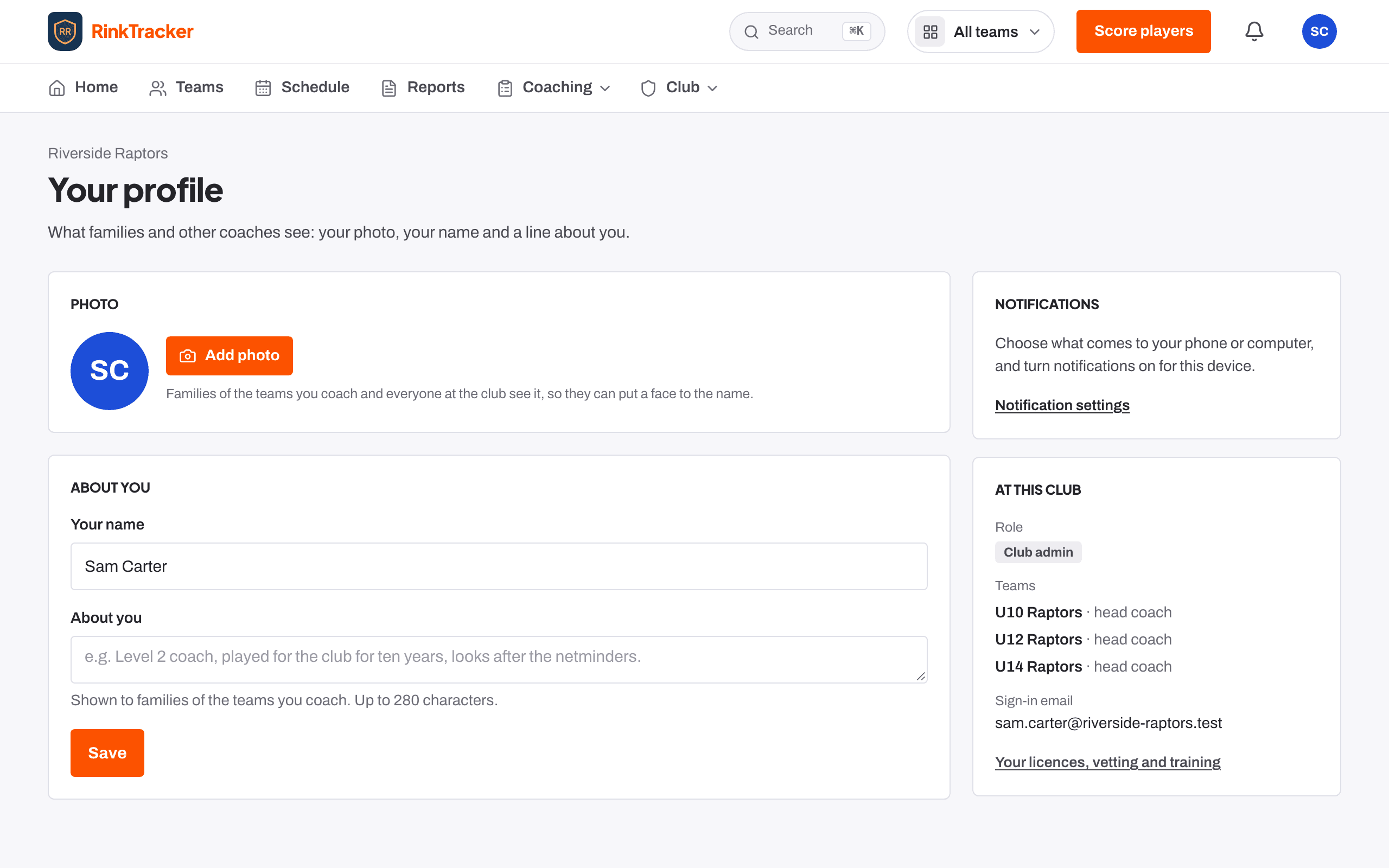
For staff
Your profile is what families and other coaches see.
- Photo: upload or remove your own photo.
- Your name: how your name appears across the club.
- About you: up to 280 characters, shown to families of the teams you coach. For example, "Level 2 coach, looks after the netminders."
- At this club: your role, your teams and your sign-in email. If you are not on a team yet, a club admin can add you.
There is also a link to Your licences, vetting and training, where you can see your own compliance records.
For parents and players
Your account has your name, which is what coaches see next to your answers and notes. Press Save after changing it. It also shows the email you sign in with.
Parents will find consent choices, medical details and a copy of their child's data on each child's page. Players' consent is managed by their parent.
- Signing in without a password Help article
- Notifications, emails and turning them off Help article
- Roles: who sees what Help article
Still stuck? Email hello@rinktracker.com and we'll help.