01
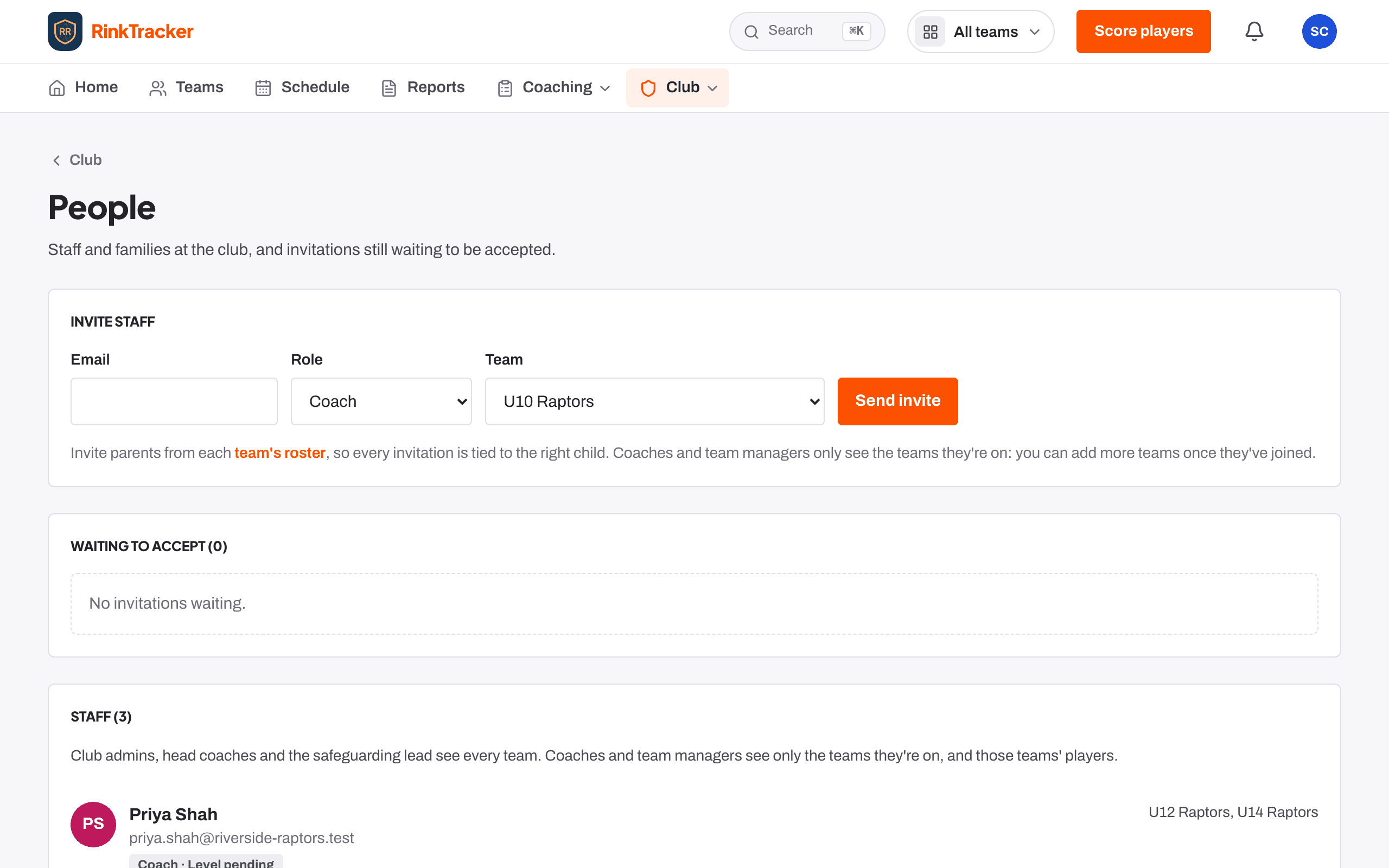
Invite a member of staff
- Go to Club, then People.
- Under Invite staff, enter their Email.
- Choose a Role: Coach, Head coach, Team manager or Safeguarding lead. A club admin can also invite another Club admin.
- Choose a Team, or leave them with no team for now. They won't see any players until they have one.
- Press Send invite.
Invitations not yet accepted are listed under Waiting to accept, where you can Withdraw one.
02
Check each role sees the right things
- Club admin: everything, including people, settings and privacy.
- Head coach: every team; publishes reports to families.
- Coach: their own teams: scoring, goals, sessions.
- Team manager: their own teams: schedule, registers and families.
- Safeguarding lead: every team's welfare and safeguarding records.
To change someone's teams, use Manage … teams in the staff list, tick their teams (and Head coach of this team if it applies), then Save teams.
03
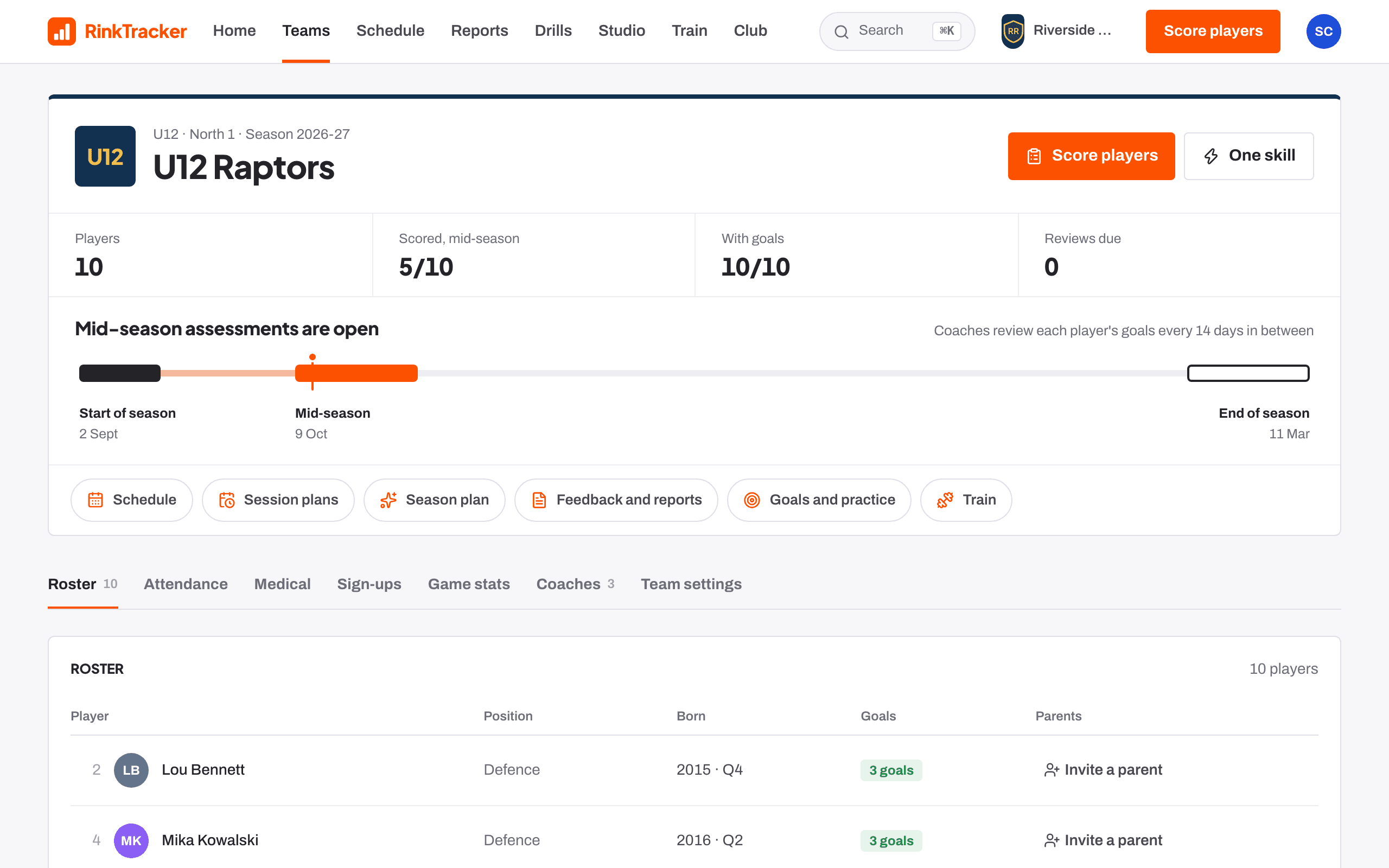
Invite a parent from the roster
Parents are invited from team rosters, so every invitation is tied to the right child.
- Open the team and go to the Roster tab.
- Next to the player, press Invite a parent.
- Enter the Email and the Relationship (Parent, Guardian or Carer).
- Press Send invite. Use Invite another parent for a second adult.
04
Or let families send their details with a rink code
- Open the team and go to the Sign-ups tab.
- Press Make a rink code, then Copy join link or Copy code and share it with the team's families.
- Families enter the code, fill in their details, their child's details and emergency contacts. It takes about three minutes.
05
Match each sign-up to a player
- When a sign-up arrives, Home shows a sign-up to match. Press Match.
- For each child, use This is… to pick the roster player (the best match is marked), add them as a new player, or leave them out.
- Press Link and invite. Their address, contacts and medical details are copied to the profile and they get a sign-in link by email.
If the details aren't for your club, press Decline and delete these details. The parent is told by email.
06
Find anyone still missing
Home lists Players with no parent linked with an Invite button, so you can see who still needs one. People also lists Parents and guardians and Players with their own login.
Read next
- Inviting coaches and staff Help article
- Rink codes and family sign-ups Help article
- Roles: who sees what Help article
- Your first week as a family Guide
Stuck? Email hello@rinktracker.com or search the help centre.